mirror of
https://github.com/actualbudget/actual.git
synced 2026-03-08 21:52:50 -05:00
1
Fly.io terraform
Rich In SQL edited this page 2022-09-10 18:56:13 +01:00
Deploying Actual on fly.io with terraform
Requirements
- Install terraform.
- Ensure you've installed the flyctl utility and logged in.
- Copy the
terraformsubdirectory ofactual-server(link).
Terminal 1: Setup
- Enter the
terraformsubdirectory ofactual-server. - Log in to fly.io by running
fly auth login - Set your fly.io API key as an evironment variable
export FLY_API_TOKEN=$(fly auth token)
Terminal 2: Open Wireguard Tunnel
-
In a separate terminal, run
fly machines api-proxy
This will open a wireguard tunnel from your local machine to fly's infrastructure allowing terraform to access the
machinesapi.
Deploy
-
Return to terminal 1.
-
Initialize terraform by running the following command in the
terraformdirectory:terraform init -
Update the
ex.tfvarsfile (or use your preferred method of variable provision), then:terraform apply -var-file=ex.tfvars -
Review the plan, and enter
yesif it matches expectations.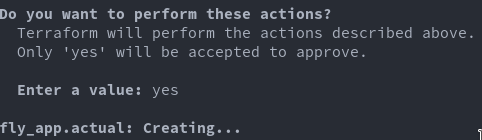
You should now have a running app! Open your fly.io dashboard to inspect any additional details.
Frequent Issues
If you're stuck or find a step unclear, the community in Discord may be able to assist you.