 d01d0eacb8
* Add custom themes feature with GitHub installation support

- Add ThemeInstaller component for installing themes from GitHub
- Implement custom theme validation and CSS parsing
- Add support for installed custom themes in preferences
- Add CustomThemeStyle component with CSS validation
- Update theme system to support custom overlay backgrounds
- Add comprehensive tests for theme installation and validation
- Add documentation and release notes for custom themes feature

* Update custom theme catalog: remove several themes and add 'Miami Beach' from a new repository.

* Enhance CSS validation in custom themes

- Refactor `validatePropertyValue` to implement an allowlist approach for CSS property values, rejecting complex constructs and functions except for rgb/rgba/hsl/hsla.
- Add comprehensive tests for various invalid CSS scenarios, including function calls and at-rules.
- Improve error messages for better clarity on validation failures.
- Ensure property name validation checks for format and allowed characters.

* Update custom theme catalog: rename theme from 'Miami Beach' to 'Shades of Coffee'.

* Remove 'forceReload' feature flag and related code from the application settings and feature flag definitions.

* Enhance ThemeInstaller component to support installed themes

- Add `installedTheme` prop to `ThemeInstaller` for managing custom themes.
- Implement logic to populate the text box with installed custom theme CSS when reopening.
- Update tests to verify behavior for installed themes with and without repositories.
- Improve CSS validation to allow additional CSS keywords and ensure proper structure.

Getting Started
Actual is a local-first personal finance tool. It is 100% free and open-source, written in NodeJS, it has a synchronization element so that all your changes can move between devices without any heavy lifting.
If you are interested in contributing, or want to know how development works, see our contributing document we would love to have you.
Want to say thanks? Click the ⭐ at the top of the page.
Key Links
- Actual discord community.
- Actual Community Documentation
- Frequently asked questions
Installation
There are four ways to deploy Actual:
- One-click deployment via PikaPods (~1.40 $/month) - recommended for non-technical users
- Managed hosting via Fly.io (~1.50 $/month)
- Self-hosted by using a Docker image
- Local-only apps - downloadable Windows, Mac and Linux apps you can run on your device
Learn more in the installation instructions docs.
Ready to Start Budgeting?
Read about Envelope budgeting to know more about the idea behind Actual Budget.
Are you new to budgeting or want to start fresh?
Check out the community's Starting Fresh guide so you can quickly get up and running!
Are you migrating from other budgeting apps?
Check out the community's Migration guide to start jumping on the Actual Budget train!
Documentation
We have a wide range of documentation on how to use Actual, this is all available in our Community Documentation, this includes topics on Budgeting, Account Management, Tips & Tricks and some documentation for developers.
Contributing
Actual is a community driven product. Learn more about contributing to Actual.
Code structure
The Actual app is split up into a few packages:
- loot-core - The core application that runs on any platform
- desktop-client - The desktop UI
- desktop-electron - The desktop app
More information on the project structure is available in our community documentation.
Feature Requests
Current feature requests can be seen here. Vote for your favorite requests by reacting 👍 to the top comment of the request.
To add new feature requests, open a new Issue of the "Feature Request" type.
Translation
Make Actual Budget accessible to more people by helping with the Internationalization of Actual. We are using a crowd sourcing tool to manage the translations, see our Weblate Project. Weblate proudly supports open-source software projects through their Libre plan.

Repo Activity
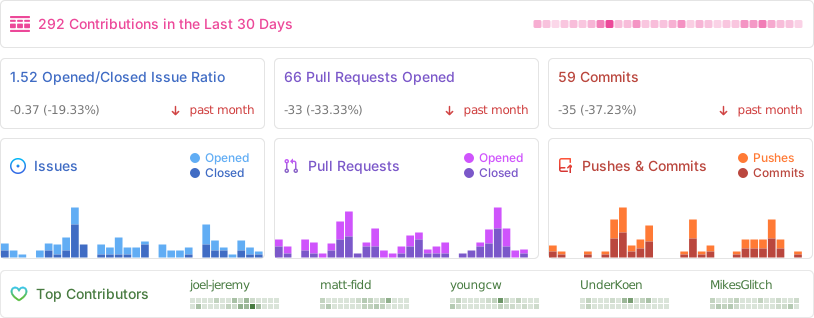
Sponsors
Thanks to our wonderful sponsors who make Actual Budget possible!
