Backing up your Actual budget
Exporting Data From Actual
Note this only applies to Actual Web
You can export your data from Actual at any time. To do so,
-
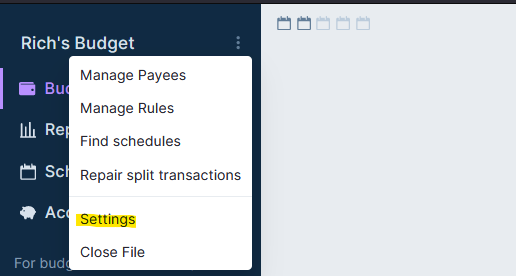
Login to your budget and click the three dots

-
Select Settings
-
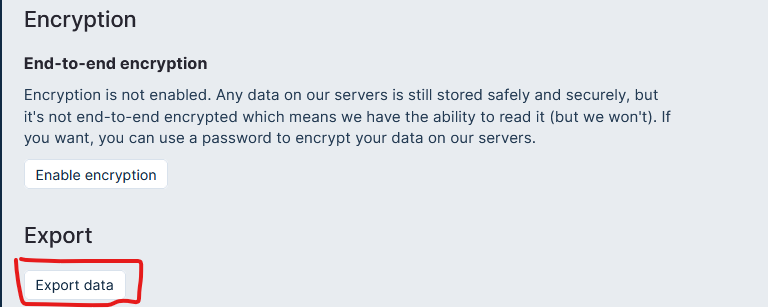
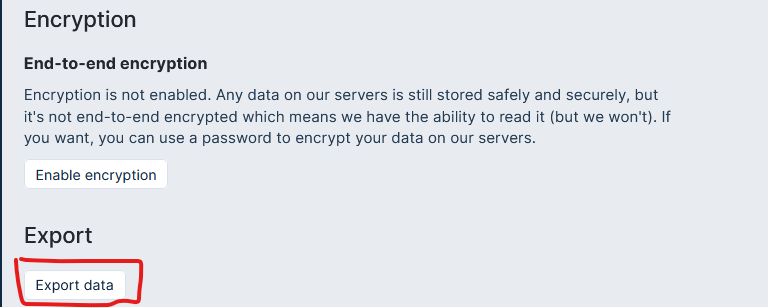
Scroll down to the Export section and click Export Data
-
Save the file somewhere on your computer - that is it done.


Importing Data Into Actual
If you previously followed the above steps and have an Actual zip export, you can now import that using the web version of Actual.
To do this,
-
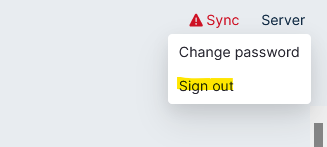
login to your budget, then in the top right corner click 'Server'

-
Then select Logout
-
Log back into your instance of Actual

-
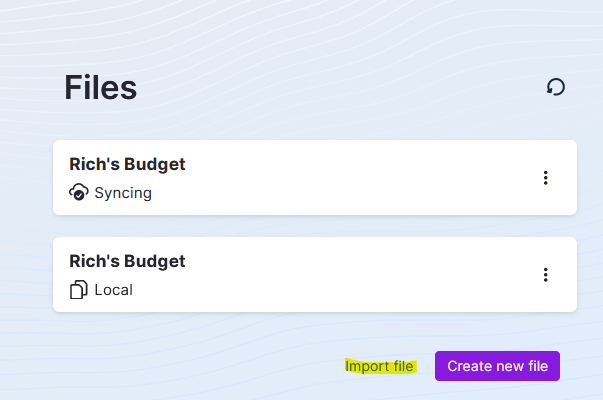
From the next screen select Import File
-
Select Actual and then locate your Zip file, this will then import what you previously exported into Actual.


That is it - be careful though, importing might not create a new file (I haven't tested that bit)