Originally created by @joergmschulz on GitHub (Sep 2, 2020).
<!--
Please fill out the following template to make solving your problem easier and faster for us.
This is only a guideline. If you think that parts are unneccessary for your issue, feel free to remove them.
Remember to hide/obfuscate personal and confidential information,
such as names, global IP/DNS adresses and especially passwords, if neccessary.
-->
### Subject of the issue
I try to setup / send email.
The server seems to be reached, but the log returns:
```
[2020-09-02 14:43:45.461][request][INFO] POST /admin/test/smtp/
bitwarden | [2020-09-02 14:43:45.560][error][ERROR] SmtpError.
bitwarden | [CAUSE] Client(
bitwarden | "Unrecognized challenge",
bitwarden | )
bitwarden | [2020-09-02 14:43:45.562][response][INFO] POST /admin/test/smtp (test_smtp) => 400 Bad Request
```
### Your environment
<!-- The version number, obtained from the logs or the admin page -->
`image: bitwardenrs/server-postgresql:latest`
* Install method: docker-compose
### Steps to reproduce
<!-- Tell us how to reproduce this issue. What parameters did you set (differently from the defaults)
and how did you start bitwarden_rs? -->
### Expected behaviour
email should be sent
### Actual behaviour
error 400
Could you give some more details on your config without password and username?
So what are the settings you have for email?
@BlackDex commented on GitHub (Sep 3, 2020):
Could you give some more details on your config without password and username?
So what are the settings you have for email?
use another tls1.3 enabled email server (I don't have a 1.2 one)
disable authentication
use a completely different provider
enter different values in the smtp_auth_mechanism field
@joergmschulz commented on GitHub (Sep 3, 2020):
```
"_enable_smtp": true,
"smtp_host": "m.mmmmmmm.de",
"smtp_ssl": true,
"smtp_explicit_tls": false,
"smtp_port": 587,
"smtp_from": "help@mmmmmmmmm.de",
"smtp_from_name": "Bitwarden_RS",
"smtp_username": "help@mmmmmmmmmm.de",
"smtp_password": "pppppppppp",
"smtp_auth_mechanism": "login",
"smtp_timeout": 15,
"helo_name": "bitwarden.mmmmmmmm.de",
```
Things that didn't change the situation:
- use other ports like 25, 465
- dis/enable tls
- use another tls1.3 enabled email server (I don't have a 1.2 one)
- disable authentication
- use a completely different provider
- enter different values in the smtp_auth_mechanism field
@joergmschulz I think you need to change the "smtp_auth_mechanism" to be "Plain" instead of "login", if you really need the "login" mechanism, then i think i also need to have an uppercase L, so "Login".
Please try if that solves your issue.
@BlackDex commented on GitHub (Sep 7, 2020):
@joergmschulz I think you need to change the "smtp_auth_mechanism" to be "Plain" instead of "login", if you really need the "login" mechanism, then i think i also need to have an uppercase L, so "Login".
Please try if that solves your issue.
I made some changes so it now supports multiple authentication mechanisms. You could try to add both plain and login comma separated. It now also have a bit update mail library which could help a bit.
@BlackDex commented on GitHub (Sep 16, 2020):
I made some changes so it now supports multiple authentication mechanisms. You could try to add both plain and login comma separated. It now also have a bit update mail library which could help a bit.
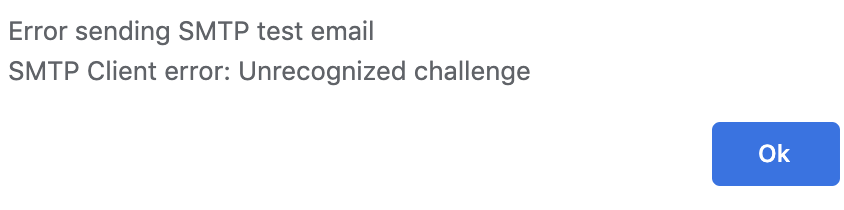
have now built from master; the format of the error message improved, but the content is left unchanged.
@joergmschulz commented on GitHub (Sep 17, 2020):
have now built from master; the format of the error message improved, but the content is left unchanged.
<img width="422" alt="grafik" src="https://user-images.githubusercontent.com/6523646/93452322-9256ae00-f8d8-11ea-8a0f-e2f9d118f214.png">
@joergmschulz i have checked the code and this error only happens during the following.
Using the Login auth mechanism
The server responds with some kind of challenge it doesn't recognize.
So what happens during the LOGIN auth method is the following.
Client connects to mail-server
Client sends ehlo command
Server responds with its features (250-XX)
Client checks which 250-AUTH features and if a match, it will continue.
Client sends which auth it's going to use AUTH LOGIN
Server sends a response 334 VXNlcm5hbWU6
And there is where it goes wrong.
The value right after 334 here is a base64 encoded string which contains Username: in this case.
For some reason the server you connect to responds with something the mail-library doesn't understand.
You could try to do this manually and see what the server returns.
The 334 responses are where the library is tripping on and returning the the error you see.
To try it your self do the following.
# Run for starttls either port 25 or 587
openssl s_client -starttls smtp -crlf -connect m.mmmmmmm.de:587
# Run for SSL connection normally port 465
openssl s_client -crlf -connect m.mmmmmmm.de:465
This will start a console where you can type and press enter to send that command.
Enter the following commands right after each other.
EHLO my.domain.tld
AUTH LOGIN
And now wait what will return.
It could also be that the Password part is giving the issue, that normally follows after you have entered your username.
@BlackDex commented on GitHub (Sep 19, 2020):
@joergmschulz i have checked the code and this error only happens during the following.
1. Using the Login auth mechanism
2. The server responds with some kind of challenge it doesn't recognize.
So what happens during the LOGIN auth method is the following.
1. Client connects to mail-server
2. Client sends `ehlo` command
3. Server responds with its features (`250-XX`)
4. Client checks which `250-AUTH` features and if a match, it will continue.
5. Client sends which auth it's going to use `AUTH LOGIN`
6. Server sends a response `334 VXNlcm5hbWU6`
And there is where it goes wrong.
The value right after 334 here is a base64 encoded string which contains `Username:` in this case.
For some reason the server you connect to responds with something the mail-library doesn't understand.
You could try to do this manually and see what the server returns.
The `334` responses are where the library is tripping on and returning the the error you see.
To try it your self do the following.
```bash
# Run for starttls either port 25 or 587
openssl s_client -starttls smtp -crlf -connect m.mmmmmmm.de:587
# Run for SSL connection normally port 465
openssl s_client -crlf -connect m.mmmmmmm.de:465
```
This will start a console where you can type and press enter to send that command.
Enter the following commands right after each other.
```bash
EHLO my.domain.tld
AUTH LOGIN
```
And now wait what will return.
It could also be that the Password part is giving the issue, that normally follows after you have entered your username.
Also, checkout one of these two sites for example to help you test it manually:
https://www.ndchost.com/wiki/mail/test-smtp-auth-telnet
http://www.xglobe.com/knowledgebase/mail/test-smtp-authentication-with-telnet/
the smtp server can't be the reason as other smtp servers don't work as well.
Do I need to escape special characters in username or password (like @ or ! )?
New, TLSv1/SSLv3, Cipher is ECDHE-RSA-AES256-GCM-SHA384
Server public key is 2048 bit
Secure Renegotiation IS supported
Compression: NONE
Expansion: NONE
No ALPN negotiated
SSL-Session:
Protocol : TLSv1.2
Cipher : ECDHE-RSA-AES256-GCM-SHA384
Session-ID: 2903E03595DD35E2B3C04582C8AB8168C14CEE471384DFF7BFF19A3453356472
Session-ID-ctx:
Master-Key: A05C146F265F45259196D97B4FA594C43AC9426C12E5D1290E620ABF6C65777C7A6BB7B3991E520D5F70B21DA770448C
Key-Arg : None
PSK identity: None
PSK identity hint: None
SRP username: None
Start Time: 1600529739
Timeout : 300 (sec)
Verify return code: 20 (unable to get local issuer certificate)
---
250 HELP
ehlo bitwarden.faudin.de
250-m.mysmtphost or 1&1smtphost.de Hello somebody
250-SIZE 52428800
250-8BITMIME
250-PIPELINING
250-AUTH LOGIN
250-CHUNKING
250-PRDR
250 HELP
auth login
334 4oCcVXNlcm5hbWU6
anMuZGU=
334 UGFzc3dvcmQ64oCd
Z0F1dDFuZzE0IQ==
535 Incorrect authentication data
auth login
334 4oCcVXNlcm5hbWU6
base64encodedusername=
334 UGFzc3dvcmQ64oCd
base64encodedpassword==
235 Authentication succeeded
@joergmschulz commented on GitHub (Sep 19, 2020):
hmmm
doing it manually, it works correctly:
the smtp server can't be the reason as other smtp servers don't work as well.
Do I need to escape special characters in username or password (like @ or ! )?
```
New, TLSv1/SSLv3, Cipher is ECDHE-RSA-AES256-GCM-SHA384
Server public key is 2048 bit
Secure Renegotiation IS supported
Compression: NONE
Expansion: NONE
No ALPN negotiated
SSL-Session:
Protocol : TLSv1.2
Cipher : ECDHE-RSA-AES256-GCM-SHA384
Session-ID: 2903E03595DD35E2B3C04582C8AB8168C14CEE471384DFF7BFF19A3453356472
Session-ID-ctx:
Master-Key: A05C146F265F45259196D97B4FA594C43AC9426C12E5D1290E620ABF6C65777C7A6BB7B3991E520D5F70B21DA770448C
Key-Arg : None
PSK identity: None
PSK identity hint: None
SRP username: None
Start Time: 1600529739
Timeout : 300 (sec)
Verify return code: 20 (unable to get local issuer certificate)
---
250 HELP
ehlo bitwarden.faudin.de
250-m.mysmtphost or 1&1smtphost.de Hello somebody
250-SIZE 52428800
250-8BITMIME
250-PIPELINING
250-AUTH LOGIN
250-CHUNKING
250-PRDR
250 HELP
auth login
334 4oCcVXNlcm5hbWU6
anMuZGU=
334 UGFzc3dvcmQ64oCd
Z0F1dDFuZzE0IQ==
535 Incorrect authentication data
auth login
334 4oCcVXNlcm5hbWU6
base64encodedusername=
334 UGFzc3dvcmQ64oCd
base64encodedpassword==
235 Authentication succeeded
```
Well, the issue is that the first 334 parameter starts with an ” and the last one ends with an “. “Username: Password:”
Those signs looking like a " are the issue here. They apparently are causing the match to fail.
Maybe it is something you can configure on the mail server?
@BlackDex commented on GitHub (Sep 19, 2020):
Well, the issue is that the first `334` parameter starts with an ” and the last one ends with an “.
`“Username:`
`Password:”`
Those signs looking like a " are the issue here. They apparently are causing the match to fail.
Maybe it is something you can configure on the mail server?
definitely yes, this is configurable on the mail server. In case of exim, it is the stanza server_prompts = Username:: : Password:: that has contained the quote signes for some years now. Always working with all clients. But leaving away the qutes works as well.
Thank you very much for the pain to debug this one!
@joergmschulz commented on GitHub (Sep 19, 2020):
definitely yes, this is configurable on the mail server. In case of exim, it is the stanza `server_prompts = Username:: : Password::` that has contained the quote signes for some years now. Always working with all clients. But leaving away the qutes works as well.
Thank you very much for the pain to debug this one!
Blocking a user prevents them from interacting with repositories, such as opening or commenting on pull requests or issues. Learn more about blocking a user.
Originally created by @joergmschulz on GitHub (Sep 2, 2020).
Subject of the issue
I try to setup / send email.
The server seems to be reached, but the log returns:
Your environment
image: bitwardenrs/server-postgresql:latestSteps to reproduce
Expected behaviour
email should be sent
Actual behaviour
error 400
@BlackDex commented on GitHub (Sep 3, 2020):
Could you give some more details on your config without password and username?
So what are the settings you have for email?
@joergmschulz commented on GitHub (Sep 3, 2020):
Things that didn't change the situation:
@BlackDex commented on GitHub (Sep 7, 2020):
@joergmschulz I think you need to change the "smtp_auth_mechanism" to be "Plain" instead of "login", if you really need the "login" mechanism, then i think i also need to have an uppercase L, so "Login".
Please try if that solves your issue.
@joergmschulz commented on GitHub (Sep 7, 2020):
yes, this has been among the things I have tested. Plain, login, Login, plain. But neither worked.
@BlackDex commented on GitHub (Sep 16, 2020):
I made some changes so it now supports multiple authentication mechanisms. You could try to add both plain and login comma separated. It now also have a bit update mail library which could help a bit.
@joergmschulz commented on GitHub (Sep 17, 2020):
Has this change found its way into the docker image or should I build from master?
@BlackDex commented on GitHub (Sep 17, 2020):
@joergmschulz this is in the latest version when using the testing tag
@joergmschulz commented on GitHub (Sep 17, 2020):
have now built from master; the format of the error message improved, but the content is left unchanged.

@BlackDex commented on GitHub (Sep 19, 2020):
@joergmschulz i have checked the code and this error only happens during the following.
So what happens during the LOGIN auth method is the following.
ehlocommand250-XX)250-AUTHfeatures and if a match, it will continue.AUTH LOGIN334 VXNlcm5hbWU6And there is where it goes wrong.
The value right after 334 here is a base64 encoded string which contains
Username:in this case.For some reason the server you connect to responds with something the mail-library doesn't understand.
You could try to do this manually and see what the server returns.
The
334responses are where the library is tripping on and returning the the error you see.To try it your self do the following.
This will start a console where you can type and press enter to send that command.
Enter the following commands right after each other.
And now wait what will return.
It could also be that the Password part is giving the issue, that normally follows after you have entered your username.
Also, checkout one of these two sites for example to help you test it manually:
https://www.ndchost.com/wiki/mail/test-smtp-auth-telnet
http://www.xglobe.com/knowledgebase/mail/test-smtp-authentication-with-telnet/
@joergmschulz commented on GitHub (Sep 19, 2020):
hmmm
doing it manually, it works correctly:
the smtp server can't be the reason as other smtp servers don't work as well.
Do I need to escape special characters in username or password (like @ or ! )?
@BlackDex commented on GitHub (Sep 19, 2020):
Well, the issue is that the first
334parameter starts with an ” and the last one ends with an “.“Username:Password:”Those signs looking like a " are the issue here. They apparently are causing the match to fail.
Maybe it is something you can configure on the mail server?
@joergmschulz commented on GitHub (Sep 19, 2020):
definitely yes, this is configurable on the mail server. In case of exim, it is the stanza
server_prompts = Username:: : Password::that has contained the quote signes for some years now. Always working with all clients. But leaving away the qutes works as well.Thank you very much for the pain to debug this one!
@BlackDex commented on GitHub (Sep 19, 2020):
@joergmschulz your welcome glad it works now :)