Open WebUI ist ein Zuhause für KI: eine erweiterbare, benutzerfreundliche Plattform zum Selbsthosten, die vollständig offline betrieben werden kann. Verbinde lokale Modelle über Ollama oder nutze OpenAI-kompatible APIs für lokale und cloudbasierte Modelle.
[English](README.md) | [简体中文](README.zh.md) | [繁體中文](README.zht.md) | [한국어](README.ko.md) | [Deutsch](README.de.md) | [Español](README.es.md) | [Français](README.fr.md) | [Italiano](README.it.md) | [Dansk](README.da.md) | [日本語](README.ja.md) | [Polski](README.pl.md) | [Русский](README.ru.md) | [Bosanski](README.bs.md) | [العربية](README.ar.md) | [Norsk](README.no.md) | [Português (Brasil)](README.br.md) | [ไทย](README.th.md) | [Türkçe](README.tr.md) | [Українська](README.uk.md) | [বাংলা](README.bn.md) | [Ελληνικά](README.gr.md) | [Tiếng Việt](README.vi.md) [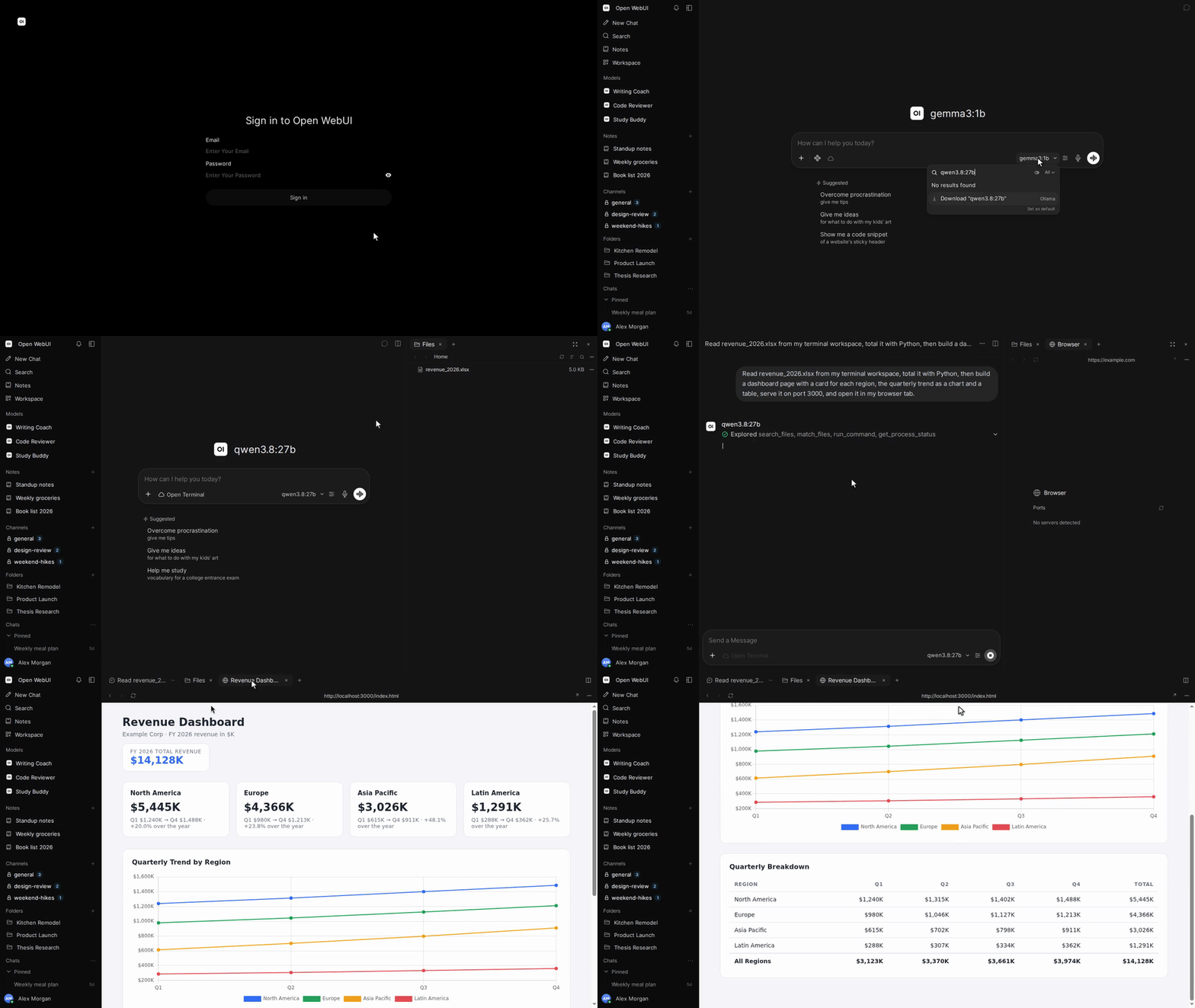](https://docs.openwebui.com/)        [](https://discord.gg/5rJgQTnV4s) [](https://github.com/sponsors/open-webui) [Open WebUI entdecken →](https://docs.openwebui.com/) ### Installation #### Python Erfordert Python 3.12. ```bash pip install open-webui open-webui serve ``` Öffne anschließend [http://localhost:8080](http://localhost:8080). #### Docker ```bash docker run -d -p 3000:8080 --add-host=host.docker.internal:host-gateway -v open-webui:/app/backend/data --name open-webui --restart always ghcr.io/open-webui/open-webui:main ``` Öffne anschließend [http://localhost:3000](http://localhost:3000). | Image-Tag | Inhalt | | --------- | -------------------------------------------------------------------------------------- | | `:main` | Standard-Image mit Abhängigkeiten für lokale KI | | `:slim` | Schlankes Image mit externen Diensten für Embeddings, Dokumentenextraktion und Sprache | | `:cuda` | Open WebUI mit CUDA-Beschleunigung | | `:ollama` | Open WebUI mit integriertem Ollama | | `:dev` | Neuester Entwicklungsbuild | Füge diese Optionen bei Bedarf vor dem Image-Namen zu `docker run` hinzu: | Option | Zweck | | ---------------------------------------------------- | ------------------------------------------------------------------------------------------------ | | `-e OLLAMA_BASE_URL=http://your-ollama-server:11434` | Verbindung zu Ollama auf einem anderen Server | | `-e OPENAI_API_KEY=your_secret_key` | OpenAI-API-Schlüssel festlegen | | `-e HF_HUB_OFFLINE=1` | Downloads von Hugging-Face-Modellen für den Offlinebetrieb deaktivieren | | `--gpus all` | Nvidia-GPU-Zugriff für `:cuda` oder `:ollama` aktivieren; erfordert das Nvidia Container Toolkit | Einrichtung und Konfigurationsoptionen findest du in der [Docker-Installationsanleitung](https://docs.openwebui.com/getting-started/quick-start/). #### Desktop-App [Native Desktop-App herunterladen](https://github.com/open-webui/desktop) für macOS, Windows und Linux. [Dokumentation lesen →](https://docs.openwebui.com/getting-started/) ### Ökosystem - [Open Terminal](https://github.com/open-webui/open-terminal) / [Terminals (Enterprise)](https://github.com/open-webui/terminals): Die Ausführungsebene, die Open WebUI zu einer vollständigen Agentenumgebung macht, mit Enterprise-Orchestrierung für Arbeitsbereiche pro Benutzer. - [Knowledge Base Sync (oikb)](https://github.com/open-webui/oikb): Ordner, Repositories, Buckets und Wikis durch inkrementelle Synchronisierung in Open WebUI Knowledge Bases spiegeln. - [Open WebUI Computer](https://github.com/open-webui/computer): Dein Computer in jedem Browser: Dateien, Editor, Terminal, Git und optionale KI-Agenten auf deinem eigenen Rechner. Weitere Informationen findest du in der [Ökosystem-Dokumentation](https://docs.openwebui.com/ecosystem/). ### Fehlerbehebung und Updates Bei Verbindungsproblemen hilft die [Anleitung zur Fehlerbehebung](https://docs.openwebui.com/troubleshooting/); zum Aktualisieren deiner Installation gibt es die [Update-Anleitung](https://docs.openwebui.com/getting-started/updating). ### Dokumentation Informationen zu Konfiguration und Nutzung findest du in der [Dokumentation](https://docs.openwebui.com/), geplante Arbeiten in der [Roadmap](https://docs.openwebui.com/roadmap/). Für Docker Compose, Kubernetes und weitere Installationsarten siehe die [Installationsdokumentation](https://docs.openwebui.com/getting-started/). ### Hilfe [Erstelle ein Issue](https://github.com/open-webui/open-webui/issues) oder [starte eine Diskussion](https://github.com/open-webui/open-webui/discussions). Du findest uns auf [Reddit](https://www.reddit.com/r/OpenWebUI/), [X](https://x.com/OpenWebUI) und [Discord](https://discord.gg/5rJgQTnV4s). ### Sicherheit Melde Sicherheitslücken vertraulich über [GitHub Security Advisories](https://github.com/open-webui/open-webui/security). Sicherheitsmeldungen werden ausschließlich über GitHub angenommen. ### GitHub-Sterne im Zeitverlauf