Open WebUI 是 AI 的家:一個可擴充、易於使用的自架平台,支援完全離線執行。透過 Ollama 連接本機模型,或使用相容於 OpenAI 的 API 連接本機和雲端模型。
[English](README.md) | [简体中文](README.zh.md) | [繁體中文](README.zht.md) | [한국어](README.ko.md) | [Deutsch](README.de.md) | [Español](README.es.md) | [Français](README.fr.md) | [Italiano](README.it.md) | [Dansk](README.da.md) | [日本語](README.ja.md) | [Polski](README.pl.md) | [Русский](README.ru.md) | [Bosanski](README.bs.md) | [العربية](README.ar.md) | [Norsk](README.no.md) | [Português (Brasil)](README.br.md) | [ไทย](README.th.md) | [Türkçe](README.tr.md) | [Українська](README.uk.md) | [বাংলা](README.bn.md) | [Ελληνικά](README.gr.md) | [Tiếng Việt](README.vi.md) [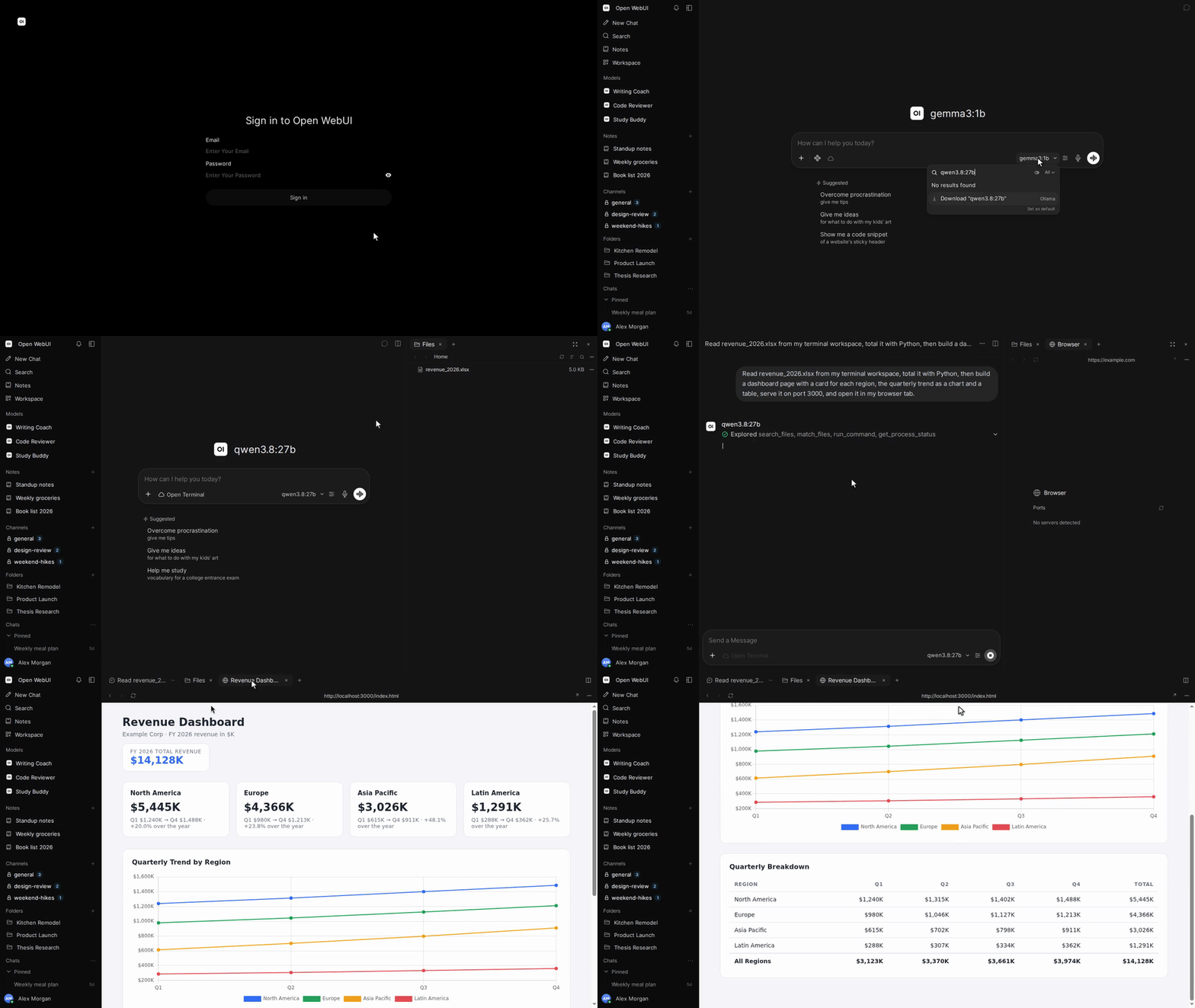](https://docs.openwebui.com/)        [](https://discord.gg/5rJgQTnV4s) [](https://github.com/sponsors/open-webui) [探索 Open WebUI →](https://docs.openwebui.com/) ### 安裝 #### Python 需要 Python 3.12。 ```bash pip install open-webui open-webui serve ``` 接著開啟 [http://localhost:8080](http://localhost:8080)。 #### Docker ```bash docker run -d -p 3000:8080 --add-host=host.docker.internal:host-gateway -v open-webui:/app/backend/data --name open-webui --restart always ghcr.io/open-webui/open-webui:main ``` 接著開啟 [http://localhost:3000](http://localhost:3000)。 | 映像標籤 | 內容 | | --------- | ---------------------------------------------- | | `:main` | 包含本機 AI 相依套件的標準映像 | | `:slim` | 輕量映像,透過外部服務處理嵌入、文件擷取與語音 | | `:cuda` | 支援 CUDA 加速的 Open WebUI | | `:ollama` | 內建 Ollama 的 Open WebUI | | `:dev` | 最新開發版本 | 視需要在 `docker run` 的映像名稱前加入以下選項: | 選項 | 用途 | | ---------------------------------------------------- | --------------------------------------------------------------------------- | | `-e OLLAMA_BASE_URL=http://your-ollama-server:11434` | 連接另一台伺服器上的 Ollama | | `-e OPENAI_API_KEY=your_secret_key` | 設定 OpenAI API 金鑰 | | `-e HF_HUB_OFFLINE=1` | 停用 Hugging Face 模型下載,以便離線使用 | | `--gpus all` | 為 `:cuda` 或 `:ollama` 啟用 Nvidia GPU 存取;需要 Nvidia Container Toolkit | 安裝步驟與設定選項請參閱 [Docker 安裝指南](https://docs.openwebui.com/getting-started/quick-start/)。 #### 桌面應用程式 [下載原生桌面應用程式](https://github.com/open-webui/desktop),支援 macOS、Windows 和 Linux。 [閱讀文件 →](https://docs.openwebui.com/getting-started/) ### 生態系統 - [Open Terminal](https://github.com/open-webui/open-terminal) / [Terminals (Enterprise)](https://github.com/open-webui/terminals): 為 Open WebUI 提供執行能力,使其成為完整的代理執行框架,並透過企業級協調管理每位使用者的獨立工作區。 - [Knowledge Base Sync (oikb)](https://github.com/open-webui/oikb): 透過增量同步,將資料夾、程式碼儲存庫、儲存桶和 Wiki 鏡像同步至 Open WebUI 知識庫。 - [Open WebUI Computer](https://github.com/open-webui/computer): 在任何瀏覽器中使用你的電腦:檔案、編輯器、終端機、Git 與選用的 AI 代理,皆在你的實際機器上執行。 詳情請參閱[生態系統文件](https://docs.openwebui.com/ecosystem/)。 ### 疑難排解與更新 連線問題請參閱[疑難排解指南](https://docs.openwebui.com/troubleshooting/),更新安裝請參閱[更新指南](https://docs.openwebui.com/getting-started/updating)。 ### 文件 設定與使用方式請參閱[文件](https://docs.openwebui.com/),規劃中的工作請參閱[路線圖](https://docs.openwebui.com/roadmap/)。 Docker Compose、Kubernetes 與其他部署方式請參閱[安裝文件](https://docs.openwebui.com/getting-started/)。 ### 支援 [提交 Issue](https://github.com/open-webui/open-webui/issues) 或[發起討論](https://github.com/open-webui/open-webui/discussions)。 也可以在 [Reddit](https://www.reddit.com/r/OpenWebUI/)、[X](https://x.com/OpenWebUI) 和 [Discord](https://discord.gg/5rJgQTnV4s) 找到我們。 ### 安全性 請透過 [GitHub 安全公告](https://github.com/open-webui/open-webui/security)私下通報漏洞。安全性通報僅透過 GitHub 接收。 ### Star 歷史