mirror of
https://github.com/ollama/ollama.git
synced 2026-07-17 05:36:16 -05:00
Closed
opened 2026-04-12 15:28:52 -05:00 by GiteaMirror
·
46 comments
No Branch/Tag Specified
main
parth-agent-tui-slash-selector
parth-remove-ollama-agent-command
parth-agent-harness-skills-synthetic-tool
hoyyeva/fix-anthropic-text-before-thinking
parth-agent-cli-markdown-rendering
mxyng/docs-cloud
parth-update-hermes-launch
hoyyeva/vscode-extension-docs-update
parth-gemma4-chat-template-renderer
parth-api-status-context-length
hoyyeva/wire-up-context-length
hoyyeva/claude-code-context-doc
jmorganca/investigate-issue-17046
hoyyeva/hermes-docs
jmorganca/agent-loop-style
hoyyeva/openclaw
parth-agent-loop
hoyyeva/ollama-vscode-extension
brucemacd/cache-metrics
brucemacd/hermes-desktop
hoyyeva/docs-vscode
parth-input-style-experiment
brucemacd/docs-glm52
hoyyeva/poc-docs
Parth/mlx-launch-recommendations
parth-first-time-app-cli-experience
test/darwin-xcode-pin
improve-cloud-model-recommendations
hoyyeva/goose-docs
jmorganca/context-limit-fixes
hoyyeva/qwen-doc
hoyyeva/vscode-docs
jmorganca/remove-mlx-imagegen-code
parth-copilot-token-length-defaults
hoyyeva/poolside-windows
laguna-support
jmorganca/harden-markdown-rendering
laguna-renderer-parser
laguna-llamacpp
codex/make-integration-hidden-and-lunchable
brucemacd/omp-docs
pdevine/gguf-mtp-oldstyle
hoyyeva/migrate-pi
hoyyeva/anthropic-local-image-path
parth-launch-codex-app
hoyyeva/anthropic-reference-images-path
parth-anthropic-reference-images-path
brucemacd/download-before-remove
hoyyeva/editor-config-repair
parth-mlx-decode-checkpoints
parth/hide-claude-desktop-till-release
parth-add-claude-code-autoinstall
release_v0.22.0
pdevine/manifest-list
codex/fix-codex-model-metadata-warning
pdevine/addressable-manifest
brucemacd/launch-fetch-reccomended
jmorganca/llama-compat
launch-copilot-cli
release_v0.20.7
parth-auto-save-backup
parth-test
jmorganca/gemma4-audio-replacements
fix-manifest-digest-on-pull
hoyyeva/vscode-improve
brucemacd/install-server-wait
parth/update-claude-docs
brucemac/start-ap-install
pdevine/mlx-update
pdevine/qwen35_vision
drifkin/api-show-fallback
mintlify/image-generation-1773352582
hoyyeva/server-context-length-local-config
jmorganca/faster-reptition-penalties
jmorganca/convert-nemotron
parth-pi-thinking
pdevine/sampling-penalties
jmorganca/fix-create-quantization-memory
dongchen/resumable_transfer_fix
pdevine/sampling-cache-error
jessegross/mlx-usage
hoyyeva/openclaw-config
hoyyeva/app-html
pdevine/qwen3next
brucemacd/sign-sh-install
brucemacd/tui-update
brucemacd/usage-api
jmorganca/launch-empty
fix-app-dist-embed
mxyng/mlx-compile
mxyng/mlx-quant
mxyng/mlx-glm4.7
mxyng/mlx
brucemacd/simplify-model-picker
jmorganca/qwen3-concurrent
fix-glm-4.7-flash-mla-config
drifkin/qwen3-coder-opening-tag
brucemacd/usage-cli
fix-cuda12-fattn-shmem
ollama-imagegen-docs
parth/fix-multiline-inputs
brucemacd/config-docs
mxyng/model-files
mxyng/simple-execute
fix-imagegen-ollama-models
mxyng/async-upload
jmorganca/lazy-no-dtype-changes
imagegen-auto-detect-create
parth/decrease-concurrent-download-hf
fix-mlx-quantize-init
jmorganca/x-cleanup
usage
imagegen-readme
jmorganca/glm-image
mlx-gpu-cd
jmorganca/imagegen-modelfile
parth/agent-skills
parth/agent-allowlist
parth/signed-in-offline
parth/agents
parth/fix-context-chopping
improve-cloud-flow
parth/add-models-websearch
parth/prompt-renderer-mcp
jmorganca/native-settings
jmorganca/download-stream-hash
jmorganca/client2-rebased
brucemacd/oai-chat-req-multipart
jessegross/multi_chunk_reserve
grace/additional-omit-empty
grace/mistral-3-large
mxyng/tokenizer2
mxyng/tokenizer
jessegross/flash
hoyyeva/windows-nacked-app
mxyng/cleanup-attention
grace/deepseek-parser
hoyyeva/remember-unsent-prompt
parth/add-lfs-pointer-error-conversion
parth/olmo2-test2
hoyyeva/ollama-launchagent-plist
nicole/olmo-model
parth/olmo-test
mxyng/remove-embedded
parth/render-template
jmorganca/intellect-3
parth/remove-prealloc-linter
jmorganca/cmd-eval
nicole/nomic-embed-text-fix
mxyng/lint-2
hoyyeva/add-gemini-3-pro-preview
hoyyeva/load-model-list
mxyng/expand-path
mxyng/environ-2
hoyyeva/deeplink-json-encoding
parth/improve-tool-calling-tests
hoyyeva/conversation
hoyyeva/assistant-edit-response
hoyyeva/thinking
origin/brucemacd/invalid-char-i-err
parth/improve-tool-calling
jmorganca/required-omitempty
grace/qwen3-vl-tests
mxyng/iter-client
parth/docs-readme
nicole/embed-test
pdevine/integration-benchstat
parth/remove-generate-cmd
parth/add-toolcall-id
mxyng/server-tests
jmorganca/glm-4.6
jmorganca/gin-h-compat
drifkin/stable-tool-args
pdevine/qwen3-more-thinking
parth/add-websearch-client
nicole/websearch_local
jmorganca/qwen3-coder-updates
grace/deepseek-v3-migration-tests
mxyng/fix-create
jmorganca/cloud-errors
pdevine/parser-tidy
revert-12233-parth/simplify-entrypoints-runner
parth/enable-so-gpt-oss
brucemacd/qwen3vl
jmorganca/readme-simplify
parth/gpt-oss-structured-outputs
revert-12039-jmorganca/tools-braces
mxyng/embeddings
mxyng/gguf
mxyng/benchmark
mxyng/types-null
parth/move-parsing
mxyng/gemma2
jmorganca/docs
mxyng/16-bit
mxyng/create-stdin
pdevine/authorizedkeys
mxyng/quant
parth/opt-in-error-context-window
brucemacd/cache-models
brucemacd/runner-completion
jmorganca/llama-update-6
brucemacd/benchmark-list
brucemacd/partial-read-caps
parth/deepseek-r1-tools
mxyng/omit-array
parth/tool-prefix-temp
brucemacd/runner-test
jmorganca/qwen25vl
brucemacd/model-forward-test-ext
parth/python-function-parsing
jmorganca/cuda-compression-none
drifkin/num-parallel
drifkin/chat-truncation-fix
jmorganca/sync
parth/python-tools-calling
drifkin/array-head-count
brucemacd/create-no-loop
parth/server-enable-content-stream-with-tools
qwen25omni
mxyng/v3
brucemacd/ropeconfig
jmorganca/silence-tokenizer
parth/sample-so-test
parth/sampling-structured-outputs
brucemacd/doc-go-engine
parth/constrained-sampling-json
jmorganca/mistral-wip
brucemacd/mistral-small-convert
parth/sample-unmarshal-json-for-params
brucemacd/jomorganca/mistral
pdevine/bfloat16
jmorganca/mistral
brucemacd/mistral
pdevine/logging
parth/sample-correctness-fix
parth/sample-fix-sorting
jmorgan/sample-fix-sorting-extras
jmorganca/temp-0-images
brucemacd/parallel-embed-models
brucemacd/shim-grammar
jmorganca/fix-gguf-error
bmizerany/nameswork
jmorganca/faster-releases
bmizerany/validatenames
brucemacd/err-no-vocab
brucemacd/rope-config
brucemacd/err-hint
brucemacd/qwen2_5
brucemacd/logprobs
brucemacd/new_runner_graph_bench
progress-flicker
brucemacd/forward-test
brucemacd/go_qwen2
pdevine/gemma2
jmorganca/add-missing-symlink-eval
mxyng/next-debug
parth/set-context-size-openai
brucemacd/next-bpe-bench
brucemacd/next-bpe-test
brucemacd/new_runner_e2e
brucemacd/new_runner_qwen2
pdevine/convert-cohere2
brucemacd/convert-cli
parth/log-probs
mxyng/next-mlx
mxyng/cmd-history
parth/templating
parth/tokenize-detokenize
brucemacd/check-key-register
bmizerany/grammar
jmorganca/vendor-081b29bd
mxyng/func-checks
jmorganca/fix-null-format
parth/fix-default-to-warn-json
jmorganca/qwen2vl
jmorganca/no-concat
parth/cmd-cleanup-SO
brucemacd/check-key-register-structured-err
parth/openai-stream-usage
parth/fix-referencing-so
stream-tools-stop
jmorganca/degin-1
brucemacd/install-path-clean
brucemacd/push-name-validation
brucemacd/browser-key-register
jmorganca/openai-fix-first-message
jmorganca/fix-proxy
jessegross/sample
parth/disallow-streaming-tools
dhiltgen/remove_submodule
jmorganca/ga
jmorganca/mllama
pdevine/newlines
pdevine/geems-2b
jmorganca/llama-bump
mxyng/modelname-7
mxyng/gin-slog
mxyng/modelname-6
jyan/convert-prog
jyan/quant5
paligemma-support
pdevine/import-docs
jmorganca/openai-context
jyan/paligemma
jyan/p2
jyan/palitest
bmizerany/embedspeedup
jmorganca/llama-vit
brucemacd/allow-ollama
royh/ep-methods
royh/whisper
mxyng/api-models
mxyng/fix-memory
jyan/q4_4/8
jyan/ollama-v
royh/stream-tools
roy-embed-parallel
bmizerany/hrm
revert-5963-revert-5924-mxyng/llama3.1-rope
royh/embed-viz
jyan/local2
jyan/auth
jyan/local
jyan/parse-temp
jmorganca/template-mistral
jyan/reord-g
royh-openai-suffixdocs
royh-imgembed
royh-embed-parallel
jyan/quant4
royh-precision
jyan/progress
pdevine/fix-template
jyan/quant3
pdevine/ggla
mxyng/update-registry-domain
jmorganca/ggml-static
mxyng/create-context
jyan/v0.146
mxyng/layers-from-files
build_dist
bmizerany/noseek
royh-ls
royh-name
timeout
mxyng/server-timestamp
bmizerany/nosillyggufslurps
royh-params
jmorganca/llama-cpp-7c26775
royh-openai-delete
royh-show-rigid
jmorganca/enable-fa
jmorganca/no-error-template
jyan/format
royh-testdelete
bmizerany/fastverify
language_support
pdevine/ps-glitches
brucemacd/tokenize
bruce/iq-quants
bmizerany/filepathwithcoloninhost
mxyng/split-bin
bmizerany/client-registry
jmorganca/if-none-match
native
jmorganca/native
jmorganca/batch-embeddings
jmorganca/initcmake
jmorganca/mm
pdevine/showggmlinfo
modenameenforcealphanum
bmizerany/modenameenforcealphanum
jmorganca/done-reason
jmorganca/llama-cpp-8960fe8
ollama.com
bmizerany/filepathnobuild
bmizerany/types/model/defaultfix
rmdisplaylong
nogogen
bmizerany/x
modelfile-readme
bmizerany/replacecolon
jmorganca/limit
jmorganca/execstack
jmorganca/replace-assets
mxyng/tune-concurrency
jmorganca/testing
whitespace-detection
jmorganca/options
upgrade-all
scratch
cuda-search
mattw/airenamer
mattw/allmodelsonhuggingface
mattw/quantcontext
mattw/whatneedstorun
brucemacd/llama-mem-calc
mattw/faq-context
mattw/communitylinks
mattw/noprune
mattw/python-functioncalling
rename
mxyng/install
pulse
remove-first
editor
mattw/selfqueryingretrieval
cgo
mattw/howtoquant
api
matt/streamingapi
format-config
mxyng/extra-args
shell
update-nous-hermes
cp-model
upload-progress
fix-unknown-model
fix-model-names
delete-fix
insecure-registry
ls
deletemodels
progressbar
readme-updates
license-layers
skip-list
list-models
modelpath
matt/examplemodelfiles
distribution
go-opts
v0.32.1
v0.32.1-rc0
v0.32.0
v0.32.0-rc0
v0.31.2
v0.31.2-rc2
v0.31.2-rc1
v0.31.2-rc0
v0.31.1
v0.31.0
v0.30.12-rc0
v0.30.11
v0.30.11-rc1
v0.30.11-rc0
v0.30.10
v0.30.10-rc1
v0.30.10-rc0
v0.30.9
v0.30.9-rc2
v0.30.9-rc1
v0.30.9-rc0
v0.30.8
v0.30.8-rc0
v0.30.7
v0.30.7-rc1
v0.30.7-rc0
v0.30.6
v0.30.6-rc0
v0.30.5
v0.30.5-rc0
v0.30.4
v0.30.4-rc1
v0.30.4-rc0
v0.30.3
v0.30.2
v0.30.2-rc0
v0.30.1
v0.30.1-rc0
v0.30.0
v0.30.0-rc32
v0.30.0-rc31
v0.30.0-rc30
v0.30.0-rc29
v0.30.0-rc28
v0.30.0-rc27
v0.30.0-rc26
v0.30.0-rc25
v0.30.0-rc24
v0.30.0-rc23
v0.30.0-rc22
v0.30.0-rc21
v0.30.0-rc20
v0.30.0-rc19
v0.30.0-rc18
v0.25.0-rc0
v0.30.0-rc17
v0.30.0-rc16
v0.24.0-rc1
v0.24.0
v0.24.0-rc0
v0.23.4
v0.23.4-rc0
v0.30.0-rc15
v0.23.3
v0.23.3-rc1
v0.30.0-rc14
v0.23.3-rc0
v0.30.0-rc13
v0.30.0-rc12
v0.30.0-rc11
v0.30.0-rc10
v0.30.0-rc9
v0.30.0-rc8
v0.30.0-rc7
v0.30.0-rc6
v0.30.0-rc5
v0.23.2
v0.23.2-rc0
v0.30.0-rc4
v0.30.0-rc3
v0.30.0-rc2
v0.30.0-rc1
v0.30.0-rc0
v0.23.1
v0.23.1-rc0
v0.23.0
v0.23.0-rc0
v0.22.1
v0.22.1-rc1
v0.22.1-rc0
v0.22.0
v0.22.0-rc1
v0.21.3-rc0
v0.21.2-rc1
v0.21.2
v0.21.2-rc0
v0.21.1
v0.21.1-rc1
v0.21.1-rc0
v0.21.0
v0.21.0-rc1
v0.21.0-rc0
v0.20.8-rc0
v0.20.7
v0.20.7-rc1
v0.20.7-rc0
v0.20.6
v0.20.6-rc1
v0.20.6-rc0
v0.20.5
v0.20.5-rc2
v0.20.5-rc1
v0.20.5-rc0
v0.20.4
v0.20.4-rc2
v0.20.4-rc1
v0.20.4-rc0
v0.20.3
v0.20.3-rc0
v0.20.2
v0.20.1
v0.20.1-rc2
v0.20.1-rc1
v0.20.1-rc0
v0.20.0
v0.20.0-rc1
v0.20.0-rc0
v0.19.0
v0.19.0-rc2
v0.19.0-rc1
v0.19.0-rc0
v0.18.4-rc1
v0.18.4-rc0
v0.18.3
v0.18.3-rc2
v0.18.3-rc1
v0.18.3-rc0
v0.18.2
v0.18.2-rc1
v0.18.2-rc0
v0.18.1
v0.18.1-rc1
v0.18.1-rc0
v0.18.0
v0.18.0-rc2
v0.18.0-rc1
v0.18.0-rc0
v0.17.8-rc4
v0.17.8-rc3
v0.17.8-rc2
v0.17.8-rc1
v0.17.8-rc0
v0.17.7
v0.17.7-rc2
v0.17.7-rc1
v0.17.7-rc0
v0.17.6
v0.17.5
v0.17.4
v0.17.3
v0.17.2
v0.17.1
v0.17.1-rc2
v0.17.1-rc1
v0.17.1-rc0
v0.17.0
v0.17.0-rc2
v0.17.0-rc1
v0.17.0-rc0
v0.16.3
v0.16.3-rc2
v0.16.3-rc1
v0.16.3-rc0
v0.16.2
v0.16.2-rc0
v0.16.1
v0.16.0
v0.16.0-rc2
v0.16.0-rc0
v0.16.0-rc1
v0.15.6
v0.15.5
v0.15.5-rc5
v0.15.5-rc4
v0.15.5-rc3
v0.15.5-rc2
v0.15.5-rc1
v0.15.5-rc0
v0.15.4
v0.15.3
v0.15.2
v0.15.1
v0.15.1-rc1
v0.15.1-rc0
v0.15.0-rc6
v0.15.0
v0.15.0-rc5
v0.15.0-rc4
v0.15.0-rc3
v0.15.0-rc2
v0.15.0-rc1
v0.15.0-rc0
v0.14.3
v0.14.3-rc3
v0.14.3-rc2
v0.14.3-rc1
v0.14.3-rc0
v0.14.2
v0.14.2-rc1
v0.14.2-rc0
v0.14.1
v0.14.0-rc11
v0.14.0
v0.14.0-rc10
v0.14.0-rc9
v0.14.0-rc8
v0.14.0-rc7
v0.14.0-rc6
v0.14.0-rc5
v0.14.0-rc4
v0.14.0-rc3
v0.14.0-rc2
v0.14.0-rc1
v0.14.0-rc0
v0.13.5
v0.13.5-rc1
v0.13.5-rc0
v0.13.4-rc2
v0.13.4
v0.13.4-rc1
v0.13.4-rc0
v0.13.3
v0.13.3-rc1
v0.13.3-rc0
v0.13.2
v0.13.2-rc2
v0.13.2-rc1
v0.13.2-rc0
v0.13.1
v0.13.1-rc2
v0.13.1-rc1
v0.13.1-rc0
v0.13.0
v0.13.0-rc0
v0.12.11
v0.12.11-rc1
v0.12.11-rc0
v0.12.10
v0.12.10-rc1
v0.12.10-rc0
v0.12.9-rc0
v0.12.9
v0.12.8
v0.12.8-rc0
v0.12.7
v0.12.7-rc1
v0.12.7-rc0
v0.12.7-citest0
v0.12.6
v0.12.6-rc1
v0.12.6-rc0
v0.12.5
v0.12.5-rc0
v0.12.4
v0.12.4-rc7
v0.12.4-rc6
v0.12.4-rc5
v0.12.4-rc4
v0.12.4-rc3
v0.12.4-rc2
v0.12.4-rc1
v0.12.4-rc0
v0.12.3
v0.12.2
v0.12.2-rc0
v0.12.1
v0.12.1-rc1
v0.12.1-rc2
v0.12.1-rc0
v0.12.0
v0.12.0-rc1
v0.12.0-rc0
v0.11.11
v0.11.11-rc3
v0.11.11-rc2
v0.11.11-rc1
v0.11.11-rc0
v0.11.10
v0.11.9
v0.11.9-rc0
v0.11.8
v0.11.8-rc0
v0.11.7-rc1
v0.11.7-rc0
v0.11.7
v0.11.6
v0.11.6-rc0
v0.11.5-rc4
v0.11.5-rc3
v0.11.5
v0.11.5-rc5
v0.11.5-rc2
v0.11.5-rc1
v0.11.5-rc0
v0.11.4
v0.11.4-rc0
v0.11.3
v0.11.3-rc0
v0.11.2
v0.11.1
v0.11.0-rc0
v0.11.0-rc1
v0.11.0-rc2
v0.11.0
v0.10.2-int1
v0.10.1
v0.10.0
v0.10.0-rc4
v0.10.0-rc3
v0.10.0-rc2
v0.10.0-rc1
v0.10.0-rc0
v0.9.7-rc1
v0.9.7-rc0
v0.9.6
v0.9.6-rc0
v0.9.6-ci0
v0.9.5
v0.9.4-rc5
v0.9.4-rc6
v0.9.4
v0.9.4-rc3
v0.9.4-rc4
v0.9.4-rc1
v0.9.4-rc2
v0.9.4-rc0
v0.9.3
v0.9.3-rc5
v0.9.4-citest0
v0.9.3-rc4
v0.9.3-rc3
v0.9.3-rc2
v0.9.3-rc1
v0.9.3-rc0
v0.9.2
v0.9.1
v0.9.1-rc1
v0.9.1-rc0
v0.9.1-ci1
v0.9.1-ci0
v0.9.0
v0.9.0-rc0
v0.8.0
v0.8.0-rc0
v0.7.1-rc2
v0.7.1
v0.7.1-rc1
v0.7.1-rc0
v0.7.0
v0.7.0-rc1
v0.7.0-rc0
v0.6.9-rc0
v0.6.8
v0.6.8-rc0
v0.6.7
v0.6.7-rc2
v0.6.7-rc1
v0.6.7-rc0
v0.6.6
v0.6.6-rc2
v0.6.6-rc1
v0.6.6-rc0
v0.6.5-rc1
v0.6.5
v0.6.5-rc0
v0.6.4-rc0
v0.6.4
v0.6.3-rc1
v0.6.3
v0.6.3-rc0
v0.6.2
v0.6.2-rc0
v0.6.1
v0.6.1-rc0
v0.6.0-rc0
v0.6.0
v0.5.14-rc0
v0.5.13
v0.5.13-rc6
v0.5.13-rc5
v0.5.13-rc4
v0.5.13-rc3
v0.5.13-rc2
v0.5.13-rc1
v0.5.13-rc0
v0.5.12
v0.5.12-rc1
v0.5.12-rc0
v0.5.11
v0.5.10
v0.5.9
v0.5.9-rc0
v0.5.8-rc13
v0.5.8
v0.5.8-rc12
v0.5.8-rc11
v0.5.8-rc10
v0.5.8-rc9
v0.5.8-rc8
v0.5.8-rc7
v0.5.8-rc6
v0.5.8-rc5
v0.5.8-rc4
v0.5.8-rc3
v0.5.8-rc2
v0.5.8-rc1
v0.5.8-rc0
v0.5.7
v0.5.6
v0.5.5
v0.5.5-rc0
v0.5.4
v0.5.3
v0.5.3-rc0
v0.5.2
v0.5.2-rc3
v0.5.2-rc2
v0.5.2-rc1
v0.5.2-rc0
v0.5.1
v0.5.0
v0.5.0-rc1
v0.4.8-rc0
v0.4.7
v0.4.6
v0.4.5
v0.4.4
v0.4.3
v0.4.3-rc0
v0.4.2
v0.4.2-rc1
v0.4.2-rc0
v0.4.1
v0.4.1-rc0
v0.4.0
v0.4.0-rc8
v0.4.0-rc7
v0.4.0-rc6
v0.4.0-rc5
v0.4.0-rc4
v0.4.0-rc3
v0.4.0-rc2
v0.4.0-rc1
v0.4.0-rc0
v0.4.0-ci3
v0.3.14
v0.3.14-rc0
v0.3.13
v0.3.12
v0.3.12-rc5
v0.3.12-rc4
v0.3.12-rc3
v0.3.12-rc2
v0.3.12-rc1
v0.3.11
v0.3.11-rc4
v0.3.11-rc3
v0.3.11-rc2
v0.3.11-rc1
v0.3.10
v0.3.10-rc1
v0.3.9
v0.3.8
v0.3.7
v0.3.7-rc6
v0.3.7-rc5
v0.3.7-rc4
v0.3.7-rc3
v0.3.7-rc2
v0.3.7-rc1
v0.3.6
v0.3.5
v0.3.4
v0.3.3
v0.3.2
v0.3.1
v0.3.0
v0.2.8
v0.2.8-rc2
v0.2.8-rc1
v0.2.7
v0.2.6
v0.2.5
v0.2.4
v0.2.3
v0.2.2
v0.2.2-rc2
v0.2.2-rc1
v0.2.1
v0.2.0
v0.1.49-rc14
v0.1.49-rc13
v0.1.49-rc12
v0.1.49-rc11
v0.1.49-rc10
v0.1.49-rc9
v0.1.49-rc8
v0.1.49-rc7
v0.1.49-rc6
v0.1.49-rc4
v0.1.49-rc5
v0.1.49-rc3
v0.1.49-rc2
v0.1.49-rc1
v0.1.48
v0.1.47
v0.1.46
v0.1.45-rc5
v0.1.45
v0.1.45-rc4
v0.1.45-rc3
v0.1.45-rc2
v0.1.45-rc1
v0.1.44
v0.1.43
v0.1.42
v0.1.41
v0.1.40
v0.1.40-rc1
v0.1.39
v0.1.39-rc2
v0.1.39-rc1
v0.1.38
v0.1.37
v0.1.36
v0.1.35
v0.1.35-rc1
v0.1.34
v0.1.34-rc1
v0.1.33
v0.1.33-rc7
v0.1.33-rc6
v0.1.33-rc5
v0.1.33-rc4
v0.1.33-rc3
v0.1.33-rc2
v0.1.33-rc1
v0.1.32
v0.1.32-rc2
v0.1.32-rc1
v0.1.31
v0.1.30
v0.1.29
v0.1.28
v0.1.27
v0.1.26
v0.1.25
v0.1.24
v0.1.23
v0.1.22
v0.1.21
v0.1.20
v0.1.19
v0.1.18
v0.1.17
v0.1.16
v0.1.15
v0.1.14
v0.1.13
v0.1.12
v0.1.11
v0.1.10
v0.1.9
v0.1.8
v0.1.7
v0.1.6
v0.1.5
v0.1.4
v0.1.3
v0.1.2
v0.1.1
v0.1.0
v0.0.21
v0.0.20
v0.0.19
v0.0.18
v0.0.17
v0.0.16
v0.0.15
v0.0.14
v0.0.13
v0.0.12
v0.0.11
v0.0.10
v0.0.9
v0.0.8
v0.0.7
v0.0.6
v0.0.5
v0.0.4
v0.0.3
v0.0.2
v0.0.1
Labels
Clear labels
amd
api
app
bug
build
cli
cloud
compatibility
context-length
create
docker
documentation
embeddings
feature request
feedback wanted
good first issue
gpt-oss
gpu
harmony
help wanted
image
install
intel
js
launch
linux
macos
memory
mlx
model
needs more info
networking
nvidia
ollama.com
performance
pull-request
python
question
registry
rendering
thinking
tools
top
vulkan
windows
wsl
Mirrored from GitHub Pull Request
Milestone
No items
No Milestone
Projects
Clear projects
No project

No Assignees

Notifications
Due Date
No due date set.
Dependencies
No dependencies set.
Reference: github-starred/ollama#4546
Reference in New Issue
Block a user
Blocking a user prevents them from interacting with repositories, such as opening or commenting on pull requests or issues. Learn more about blocking a user.
Delete Branch "%!s()"
Deleting a branch is permanent. Although the deleted branch may continue to exist for a short time before it actually gets removed, it CANNOT be undone in most cases. Continue?
Originally created by @d3tk on GitHub (Oct 10, 2024).
Original GitHub issue: https://github.com/ollama/ollama/issues/7163
Originally assigned to: @dhiltgen on GitHub.
What is the issue?
The process never completes when I try to do ollama run or ollama list.
OS
Windows
GPU
Nvidia
CPU
Intel
Ollama version
0.3.12
@rick-github commented on GitHub (Oct 10, 2024):
Server logs will help in debugging.
@d3tk commented on GitHub (Oct 10, 2024):
Server Logs
2024/10/10 14:38:26 routes.go:1153: INFO server config env="map[CUDA_VISIBLE_DEVICES: GPU_DEVICE_ORDINAL: HIP_VISIBLE_DEVICES: HSA_OVERRIDE_GFX_VERSION: HTTPS_PROXY: HTTP_PROXY: NO_PROXY: OLLAMA_DEBUG:false OLLAMA_FLASH_ATTENTION:false OLLAMA_GPU_OVERHEAD:0 OLLAMA_HOST:http://127.0.0.1:11434 OLLAMA_INTEL_GPU:false OLLAMA_KEEP_ALIVE:5m0s OLLAMA_LLM_LIBRARY: OLLAMA_LOAD_TIMEOUT:5m0s OLLAMA_MAX_LOADED_MODELS:0 OLLAMA_MAX_QUEUE:512 OLLAMA_MODELS:C:\\Users\\dkuts\\.ollama\\models OLLAMA_NOHISTORY:false OLLAMA_NOPRUNE:false OLLAMA_NUM_PARALLEL:0 OLLAMA_ORIGINS:[http://localhost https://localhost http://localhost:* https://localhost:* http://127.0.0.1 https://127.0.0.1 http://127.0.0.1:* https://127.0.0.1:* http://0.0.0.0 https://0.0.0.0 http://0.0.0.0:* https://0.0.0.0:* app://* file://* tauri://*] OLLAMA_SCHED_SPREAD:false OLLAMA_TMPDIR: ROCR_VISIBLE_DEVICES:]" time=2024-10-10T14:38:26.218-04:00 level=INFO source=images.go:753 msg="total blobs: 37" time=2024-10-10T14:38:26.247-04:00 level=INFO source=images.go:760 msg="total unused blobs removed: 0" time=2024-10-10T14:38:26.249-04:00 level=INFO source=routes.go:1200 msg="Listening on 127.0.0.1:11434 (version 0.3.12)" time=2024-10-10T14:38:26.251-04:00 level=INFO source=common.go:49 msg="Dynamic LLM libraries" runners="[cuda_v11 cuda_v12 rocm_v6.1 cpu cpu_avx cpu_avx2]" time=2024-10-10T14:38:26.252-04:00 level=INFO source=gpu.go:199 msg="looking for compatible GPUs" time=2024-10-10T14:38:26.383-04:00 level=INFO source=gpu.go:292 msg="detected OS VRAM overhead" id=GPU-40f13575-6ec5-c1b3-c72e-69caef571bd7 library=cuda compute=8.6 driver=12.6 name="NVIDIA GeForce RTX 3080" overhead="81.5 MiB" time=2024-10-10T14:38:26.384-04:00 level=INFO source=types.go:107 msg="inference compute" id=GPU-40f13575-6ec5-c1b3-c72e-69caef571bd7 library=cuda variant=v12 compute=8.6 driver=12.6 name="NVIDIA GeForce RTX 3080" total="10.0 GiB" available="8.9 GiB" [GIN] 2024/10/10 - 14:39:46 | 200 | 0s | 127.0.0.1 | HEAD "/" [GIN] 2024/10/10 - 14:39:46 | 200 | 26.4183ms | 127.0.0.1 | GET "/api/tags"
@rick-github commented on GitHub (Oct 10, 2024):
Can you give a demonstration of the problem you are experiencing?
@d3tk commented on GitHub (Oct 10, 2024):
When I run
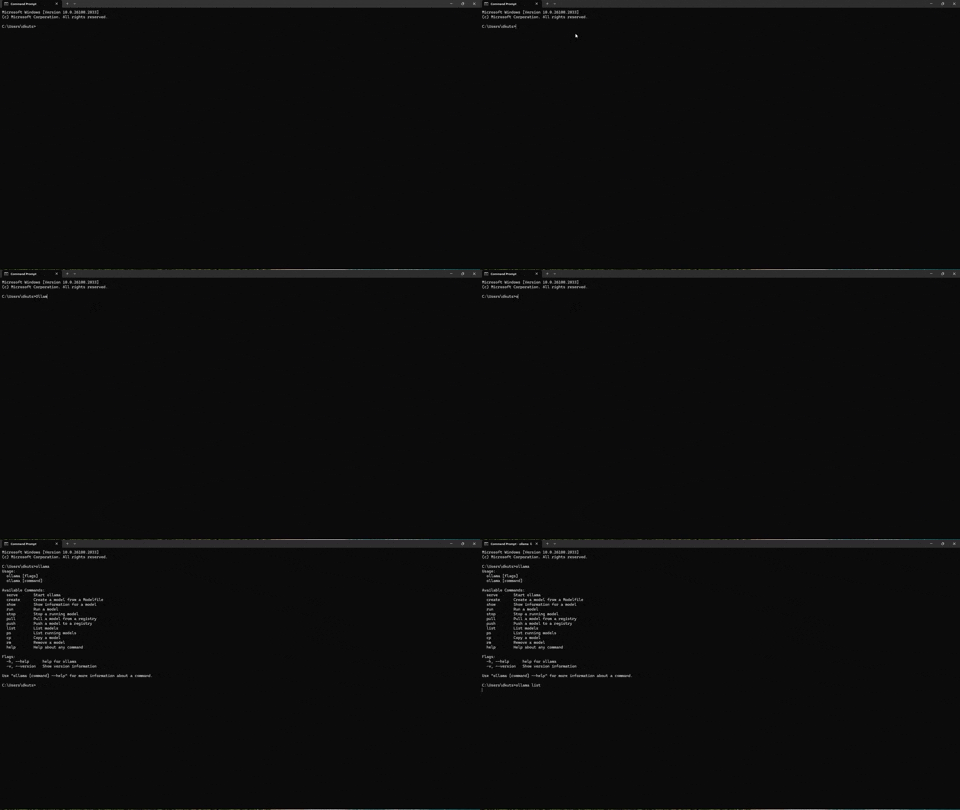
ollama listthat is the server log I get and the list is never printed to console. Here is a gif of it:Is there anything else that could help?
@rick-github commented on GitHub (Oct 10, 2024):
Does
ollama --versionreturn anything?@d3tk commented on GitHub (Oct 10, 2024):
Yes that returns 0.3.12
@rick-github commented on GitHub (Oct 11, 2024):
ollama --versionindicates that the client can talk to the server. Sorunandlistnot working implies the server is somehow borked. What doescurl http://localhost:11434/api/tagsreturn?@d3tk commented on GitHub (Oct 11, 2024):
{"models":[{"name":"qwen2-math:latest","model":"qwen2-math:latest","modified_at":"2024-09-18T15:04:52.6146302-04:00","size":4431400514,"digest":"28cc3a337734d0db9326604d931ccce1c9379f2310b60dee03ef76440b37bb65","details":{"parent_model":"","format":"gguf","family":"qwen2","families":["qwen2"],"parameter_size":"7.6B","quantization_level":"Q4_0"}},{"name":"deepseek-coder-v2:latest","model":"deepseek-coder-v2:latest","modified_at":"2024-08-26T14:25:27.440896-04:00","size":8905125527,"digest":"8577f96d693e51135fb408f915344f4413db45ce31d771be6a6a9b1c7e7a4b40","details":{"parent_model":"","format":"gguf","family":"deepseek2","families":["deepseek2"],"parameter_size":"15.7B","quantization_level":"Q4_0"}},{"name":"llama3.1:latest","model":"llama3.1:latest","modified_at":"2024-08-26T14:22:43.7956121-04:00","size":4661230977,"digest":"91ab477bec9d27086a119e33c471ae7afbd786cc4fbd8f38d8af0a0b949d53aa","details":{"parent_model":"","format":"gguf","family":"llama","families":["llama"],"parameter_size":"8.0B","quantization_level":"Q4_0"}},{"name":"gemma2:27b","model":"gemma2:27b","modified_at":"2024-07-15T18:32:59.5951191-04:00","size":15628387458,"digest":"53261bc9c192c1cb5fcc898dd3aa15da093f5ab6f08e17e48cf838bb1c58abfe","details":{"parent_model":"","format":"gguf","family":"gemma2","families":["gemma2"],"parameter_size":"27.2B","quantization_level":"Q4_0"}},{"name":"gemma2:latest","model":"gemma2:latest","modified_at":"2024-07-15T18:32:16.5725515-04:00","size":5443152417,"digest":"ff02c3702f322b9e075e9568332d96c0a7028002f1a5a056e0a6784320a4db0b","details":{"parent_model":"","format":"gguf","family":"gemma2","families":["gemma2"],"parameter_size":"9.2B","quantization_level":"Q4_0"}},{"name":"llama3:latest","model":"llama3:latest","modified_at":"2024-06-03T20:03:06.414835-04:00","size":4661224676,"digest":"365c0bd3c000a25d28ddbf732fe1c6add414de7275464c4e4d1c3b5fcb5d8ad1","details":{"parent_model":"","format":"gguf","family":"llama","families":["llama"],"parameter_size":"8.0B","quantization_level":"Q4_0"}},{"name":"nomic-embed-text:latest","model":"nomic-embed-text:latest","modified_at":"2024-05-31T17:34:46.1618435-04:00","size":274302450,"digest":"0a109f422b47e3a30ba2b10eca18548e944e8a23073ee3f3e947efcf3c45e59f","details":{"parent_model":"","format":"gguf","family":"nomic-bert","families":["nomic-bert"],"parameter_size":"137M","quantization_level":"F16"}},{"name":"codestral:latest","model":"codestral:latest","modified_at":"2024-05-31T17:33:12.9738307-04:00","size":12569170041,"digest":"fcc0019dcee9947fe4298e23825eae643f4670e391f205f8c55a64c2068e9a22","details":{"parent_model":"","format":"gguf","family":"llama","families":["llama"],"parameter_size":"22.2B","quantization_level":"Q4_0"}}]}
@rick-github commented on GitHub (Oct 11, 2024):
So
listworks when talking directly to the server. Do you haveOLLAMA_HOSTset in your environment to something other thanlocalhost:11434? If you runsetat the command line, what's the output?@d3tk commented on GitHub (Oct 11, 2024):
It looks like there isnt an OLLAMA_HOST variable in the output. I've had Ollama working for awhile, I am not sure what I did to break it, if i did.
ALLUSERSPROFILE=C:\ProgramData
APPDATA=C:\Users\dkuts\AppData\Roaming
CommonProgramFiles=C:\Program Files\Common Files
CommonProgramFiles(x86)=C:\Program Files (x86)\Common Files
CommonProgramW6432=C:\Program Files\Common Files
COMPUTERNAME=DESKTOP-Q91IHFM
ComSpec=C:\WINDOWS\system32\cmd.exe
CUDA_PATH=C:\Program Files\NVIDIA GPU Computing Toolkit\CUDA\v12.6
CUDA_PATH_V12_0=C:\Program Files\NVIDIA GPU Computing Toolkit\CUDA\v12.0
CUDA_PATH_V12_6=C:\Program Files\NVIDIA GPU Computing Toolkit\CUDA\v12.6
DriverData=C:\Windows\System32\Drivers\DriverData
EFC_10812=1
FPS_BROWSER_APP_PROFILE_STRING=Internet Explorer
FPS_BROWSER_USER_PROFILE_STRING=Default
HOMEDRIVE=C:
HOMEPATH=\Users\dkuts
LOCALAPPDATA=C:\Users\dkuts\AppData\Local
LOGONSERVER=\DESKTOP-Q91IHFM
NUMBER_OF_PROCESSORS=20
OneDrive=C:\Users\dkuts\University of Pittsburgh
OneDriveCommercial=C:\Users\dkuts\University of Pittsburgh
OneDriveConsumer=C:\Users\dkuts\OneDrive
OS=Windows_NT
Path=C:\Program Files\NVIDIA GPU Computing Toolkit\CUDA\v12.6\bin;C:\Program Files\NVIDIA GPU Computing Toolkit\CUDA\v12.6\libnvvp;C:\Program Files\NVIDIA GPU Computing Toolkit\CUDA\v12.0\bin;C:\Program Files\NVIDIA GPU Computing Toolkit\CUDA\v12.0\libnvvp;C:\Program Files\Common Files\Oracle\Java\javapath;C:\Program Files (x86)\Common Files\Oracle\Java\javapath;C:\Windows\system32;C:\Windows;C:\Windows\System32\Wbem;C:\Windows\System32\WindowsPowerShell\v1.0;C:\Windows\System32\OpenSSH;C:\Program Files (x86)\dotnet;C:\Program Files\NVIDIA Corporation\NVIDIA NvDLISR;C:\Program Files (x86)\NVIDIA Corporation\PhysX\Common;C:\Program Files\Intel\WiFi\bin;C:\Program Files\Common Files\Intel\WirelessCommon;C:\Program Files\dotnet;C:\WINDOWS\system32;C:\WINDOWS;C:\WINDOWS\System32\Wbem;C:\WINDOWS\System32\WindowsPowerShell\v1.0;C:\WINDOWS\System32\OpenSSH;C:\Program Files\MATLAB\R2023a\bin;Z:\Git\cmd;C:\Program Files\NVIDIA Corporation\Nsight Compute 2024.3.0;C:\Users\dkuts\AppData\Local\Programs\Python\Python312\Scripts;C:\Users\dkuts\AppData\Local\Programs\Python\Python312;C:\Users\dkuts\AppData\Local\Programs\Python\Python311\Scripts;C:\Users\dkuts\AppData\Local\Programs\Python\Python311;C:\Users\dkuts\AppData\Local\Microsoft\WindowsApps;C:\Program Files\Intel\WiFi\bin;C:\Program Files\Common Files\Intel\WirelessCommon;C:\Users\dkuts\AppData\Local\Programs\Microsoft VS Code\bin;C:\Program Files\NVIDIA GPU Computing Toolkit\CUDA\v12.0\bin;;C:\Users\dkuts\AppData\Local\Programs\Ollama
PATHEXT=.COM;.EXE;.BAT;.CMD;.VBS;.VBE;.JS;.JSE;.WSF;.WSH;.MSC
PROCESSOR_ARCHITECTURE=AMD64
PROCESSOR_IDENTIFIER=Intel64 Family 6 Model 151 Stepping 2, GenuineIntel
PROCESSOR_LEVEL=6
PROCESSOR_REVISION=9702
ProgramData=C:\ProgramData
ProgramFiles=C:\Program Files
ProgramFiles(x86)=C:\Program Files (x86)
ProgramW6432=C:\Program Files
PROMPT=$P$G
PSModulePath=C:\Program Files\WindowsPowerShell\Modules;C:\WINDOWS\system32\WindowsPowerShell\v1.0\Modules
PUBLIC=C:\Users\Public
SESSIONNAME=Console
SystemDrive=C:
SystemRoot=C:\WINDOWS
TEMP=C:\Users\dkuts\AppData\Local\Temp
TMP=C:\Users\dkuts\AppData\Local\Temp
USERDOMAIN=DESKTOP-Q91IHFM
USERDOMAIN_ROAMINGPROFILE=DESKTOP-Q91IHFM
USERNAME=dkuts
USERPROFILE=C:\Users\dkuts
VBOX_MSI_INSTALL_PATH=C:\Program Files\Oracle\VirtualBox
windir=C:\WINDOWS
@rick-github commented on GitHub (Oct 11, 2024):
It's a head-scratcher.
listand--versionare just wrappers to the/api/tagsand/api/versionendpoints, so having the client successfully return the version but hang on the model list, which returns successfully when youcurlthe endpoint, is strange. Do you have any firewall/anti-virus processes running on the machine? Have you previously tried running ollama in WSL? What's the output ofnetstat -nq | findstr 11434?@d3tk commented on GitHub (Oct 11, 2024):
TCP 127.0.0.1:11434 0.0.0.0:0 LISTENING
I don't think I have any firewall/anti-virus. If I did it would be Windows Defender but, I haven't changed any settings so not sure why it would be blocked now and wasn't before.
On WSL, ollama list works and ollama pull works but when I try to run a model it says: "Error: llama runner process no longer running: -1"
@rick-github commented on GitHub (Oct 11, 2024):
Have you installed ollama in both WSL (ie,
curl | sh) and Windows (OllamaSetup.exe)? I don't believe that will work reliably (not a Windows guy so I may be mistaken).@d3tk commented on GitHub (Oct 11, 2024):
I didn't have Ollama installed on WSL, so I did
sudo snap install ollama. it saidollama 0.1.32 from Matias Piipari (mz2) installedwhen it completed.For windows, I download the exe from the website download section. So I guess they're separate installations.
@rick-github commented on GitHub (Oct 11, 2024):
My experience (https://github.com/ollama/ollama/issues/7023, https://github.com/ollama/ollama/issues/6701) is that installing ollama in both Windows and WSL is problematic. If you installed in WSL just now because I asked about it, uninstall. It's not the cause of the original problem but may be an issue later. If you installed in WSL and Windows prior to submitting this bug report, delete one of the installations.
@d3tk commented on GitHub (Oct 11, 2024):
I installed it just now, I have uninstalled it. Should I attempt to uninstall ollama from my windows as well?
@rick-github commented on GitHub (Oct 11, 2024):
Yes, it won't reveal the cause of the problem, but uninstalling and reinstalling may resolve the issue.
@d3tk commented on GitHub (Oct 11, 2024):
I have re-installed Ollama and the issue still persists.
Perhaps there were some files that weren't fully deleted when I uninstalled?
@rick-github commented on GitHub (Oct 11, 2024):
I'm not familiar with the Windows install, on Linux it's a single binary with a service config file so cleanup is straightforward. Now that you have a fresh install, what's the result of:
When you've run those, add the results and the server logs.
@d3tk commented on GitHub (Oct 11, 2024):
Results:
Microsoft Windows [Version 10.0.26100.2033]
(c) Microsoft Corporation. All rights reserved.
C:\Users\dkuts>curl http://localhost:11434/api/version
{"version":"0.3.12"}
C:\Users\dkuts>curl http://localhost:11434/api/ps
{"models":[]}
C:\Users\dkuts>curl http://localhost:11434/api/tags
{"models":[]}
C:\Users\dkuts>ollama --version
ollama version is 0.3.12
C:\Users\dkuts>ollama ps
^C
C:\Users\dkuts>ollama list
^C
C:\Users\dkuts>
ps and list didn't return anything. I can run the command and see if they ever return if you think that would help.
Here are the server logs:
2024/10/11 15:50:34 routes.go:1153: INFO server config env="map[CUDA_VISIBLE_DEVICES: GPU_DEVICE_ORDINAL: HIP_VISIBLE_DEVICES: HSA_OVERRIDE_GFX_VERSION: HTTPS_PROXY: HTTP_PROXY: NO_PROXY: OLLAMA_DEBUG:false OLLAMA_FLASH_ATTENTION:false OLLAMA_GPU_OVERHEAD:0 OLLAMA_HOST:http://127.0.0.1:11434 OLLAMA_INTEL_GPU:false OLLAMA_KEEP_ALIVE:5m0s OLLAMA_LLM_LIBRARY: OLLAMA_LOAD_TIMEOUT:5m0s OLLAMA_MAX_LOADED_MODELS:0 OLLAMA_MAX_QUEUE:512 OLLAMA_MODELS:C:\Users\dkuts\.ollama\models OLLAMA_NOHISTORY:false OLLAMA_NOPRUNE:false OLLAMA_NUM_PARALLEL:0 OLLAMA_ORIGINS:[http://localhost https://localhost http://localhost:* https://localhost:* http://127.0.0.1 https://127.0.0.1 http://127.0.0.1:* https://127.0.0.1:* http://0.0.0.0 https://0.0.0.0 http://0.0.0.0:* https://0.0.0.0:* app://* file://* tauri://*] OLLAMA_SCHED_SPREAD:false OLLAMA_TMPDIR: ROCR_VISIBLE_DEVICES:]"
time=2024-10-11T15:50:34.635-04:00 level=INFO source=images.go:753 msg="total blobs: 0"
time=2024-10-11T15:50:34.635-04:00 level=INFO source=images.go:760 msg="total unused blobs removed: 0"
time=2024-10-11T15:50:34.635-04:00 level=INFO source=routes.go:1200 msg="Listening on 127.0.0.1:11434 (version 0.3.12)"
time=2024-10-11T15:50:34.636-04:00 level=INFO source=common.go:49 msg="Dynamic LLM libraries" runners="[cpu_avx2 cuda_v11 cuda_v12 rocm_v6.1 cpu cpu_avx]"
time=2024-10-11T15:50:34.636-04:00 level=INFO source=gpu.go:199 msg="looking for compatible GPUs"
time=2024-10-11T15:50:34.758-04:00 level=INFO source=types.go:107 msg="inference compute" id=GPU-40f13575-6ec5-c1b3-c72e-69caef571bd7 library=cuda variant=v12 compute=8.6 driver=12.6 name="NVIDIA GeForce RTX 3080" total="10.0 GiB" available="8.9 GiB"
[GIN] 2024/10/11 - 15:50:42 | 200 | 0s | 127.0.0.1 | HEAD "/"
[GIN] 2024/10/11 - 15:50:42 | 200 | 517.3µs | 127.0.0.1 | GET "/api/tags"
[GIN] 2024/10/11 - 16:03:51 | 200 | 866.5µs | 127.0.0.1 | GET "/api/version"
[GIN] 2024/10/11 - 16:03:56 | 200 | 609.6µs | 127.0.0.1 | GET "/api/ps"
[GIN] 2024/10/11 - 16:04:00 | 200 | 0s | 127.0.0.1 | GET "/api/tags"
[GIN] 2024/10/11 - 16:04:06 | 200 | 0s | 127.0.0.1 | GET "/api/version"
[GIN] 2024/10/11 - 16:04:09 | 200 | 0s | 127.0.0.1 | HEAD "/"
[GIN] 2024/10/11 - 16:04:09 | 200 | 0s | 127.0.0.1 | GET "/api/ps"
[GIN] 2024/10/11 - 16:04:16 | 200 | 0s | 127.0.0.1 | HEAD "/"
[GIN] 2024/10/11 - 16:04:16 | 200 | 0s | 127.0.0.1 | GET "/api/tags"
@rick-github commented on GitHub (Oct 11, 2024):
Well, the server thinks that it successfully completed all 6 commands, 3 curls and 3 ollama client calls. I don't understand why the
psandlistcommands don't return to the prompt.Does the same thing happen if you run the commands in a Powershell terminal?
@d3tk commented on GitHub (Oct 11, 2024):
PS C:\Users\dkuts> curl http://localhost:11434/api/version
StatusCode : 200
StatusDescription : OK
Content : {"version":"0.3.12"}
RawContent : HTTP/1.1 200 OK
Content-Length: 20
Content-Type: application/json; charset=utf-8
Date: Fri, 11 Oct 2024 20:16:38 GMT
Forms : {}
Headers : {[Content-Length, 20], [Content-Type, application/json; charset=utf-8], [Date, Fri, 11 Oct 2024
20:16:38 GMT]}
Images : {}
InputFields : {}
Links : {}
ParsedHtml : System.__ComObject
RawContentLength : 20
PS C:\Users\dkuts> curl http://localhost:11434/api/ps
StatusCode : 200
StatusDescription : OK
Content : {"models":[]}
RawContent : HTTP/1.1 200 OK
Content-Length: 13
Content-Type: application/json; charset=utf-8
Date: Fri, 11 Oct 2024 20:19:11 GMT
Forms : {}
Headers : {[Content-Length, 13], [Content-Type, application/json; charset=utf-8], [Date, Fri, 11 Oct 2024
20:19:11 GMT]}
Images : {}
InputFields : {}
Links : {}
ParsedHtml : System.__ComObject
RawContentLength : 13
PS C:\Users\dkuts> curl http://localhost:11434/api/tags
StatusCode : 200
StatusDescription : OK
Content : {"models":[]}
RawContent : HTTP/1.1 200 OK
Content-Length: 13
Content-Type: application/json; charset=utf-8
Date: Fri, 11 Oct 2024 20:18:40 GMT
Forms : {}
Headers : {[Content-Length, 13], [Content-Type, application/json; charset=utf-8], [Date, Fri, 11 Oct 2024
20:18:40 GMT]}
Images : {}
InputFields : {}
Links : {}
ParsedHtml : System.__ComObject
RawContentLength : 13
2024/10/11 15:50:34 routes.go:1153: INFO server config env="map[CUDA_VISIBLE_DEVICES: GPU_DEVICE_ORDINAL: HIP_VISIBLE_DEVICES: HSA_OVERRIDE_GFX_VERSION: HTTPS_PROXY: HTTP_PROXY: NO_PROXY: OLLAMA_DEBUG:false OLLAMA_FLASH_ATTENTION:false OLLAMA_GPU_OVERHEAD:0 OLLAMA_HOST:http://127.0.0.1:11434 OLLAMA_INTEL_GPU:false OLLAMA_KEEP_ALIVE:5m0s OLLAMA_LLM_LIBRARY: OLLAMA_LOAD_TIMEOUT:5m0s OLLAMA_MAX_LOADED_MODELS:0 OLLAMA_MAX_QUEUE:512 OLLAMA_MODELS:C:\Users\dkuts\.ollama\models OLLAMA_NOHISTORY:false OLLAMA_NOPRUNE:false OLLAMA_NUM_PARALLEL:0 OLLAMA_ORIGINS:[http://localhost https://localhost http://localhost:* https://localhost:* http://127.0.0.1 https://127.0.0.1 http://127.0.0.1:* https://127.0.0.1:* http://0.0.0.0 https://0.0.0.0 http://0.0.0.0:* https://0.0.0.0:* app://* file://* tauri://*] OLLAMA_SCHED_SPREAD:false OLLAMA_TMPDIR: ROCR_VISIBLE_DEVICES:]"
time=2024-10-11T15:50:34.635-04:00 level=INFO source=images.go:753 msg="total blobs: 0"
time=2024-10-11T15:50:34.635-04:00 level=INFO source=images.go:760 msg="total unused blobs removed: 0"
time=2024-10-11T15:50:34.635-04:00 level=INFO source=routes.go:1200 msg="Listening on 127.0.0.1:11434 (version 0.3.12)"
time=2024-10-11T15:50:34.636-04:00 level=INFO source=common.go:49 msg="Dynamic LLM libraries" runners="[cpu_avx2 cuda_v11 cuda_v12 rocm_v6.1 cpu cpu_avx]"
time=2024-10-11T15:50:34.636-04:00 level=INFO source=gpu.go:199 msg="looking for compatible GPUs"
time=2024-10-11T15:50:34.758-04:00 level=INFO source=types.go:107 msg="inference compute" id=GPU-40f13575-6ec5-c1b3-c72e-69caef571bd7 library=cuda variant=v12 compute=8.6 driver=12.6 name="NVIDIA GeForce RTX 3080" total="10.0 GiB" available="8.9 GiB"
[GIN] 2024/10/11 - 15:50:42 | 200 | 0s | 127.0.0.1 | HEAD "/"
[GIN] 2024/10/11 - 15:50:42 | 200 | 517.3µs | 127.0.0.1 | GET "/api/tags"
[GIN] 2024/10/11 - 16:03:51 | 200 | 866.5µs | 127.0.0.1 | GET "/api/version"
[GIN] 2024/10/11 - 16:03:56 | 200 | 609.6µs | 127.0.0.1 | GET "/api/ps"
[GIN] 2024/10/11 - 16:04:00 | 200 | 0s | 127.0.0.1 | GET "/api/tags"
[GIN] 2024/10/11 - 16:04:06 | 200 | 0s | 127.0.0.1 | GET "/api/version"
[GIN] 2024/10/11 - 16:04:09 | 200 | 0s | 127.0.0.1 | HEAD "/"
[GIN] 2024/10/11 - 16:04:09 | 200 | 0s | 127.0.0.1 | GET "/api/ps"
[GIN] 2024/10/11 - 16:04:16 | 200 | 0s | 127.0.0.1 | HEAD "/"
[GIN] 2024/10/11 - 16:04:16 | 200 | 0s | 127.0.0.1 | GET "/api/tags"
[GIN] 2024/10/11 - 16:16:38 | 200 | 504.6µs | 127.0.0.1 | GET "/api/version"
[GIN] 2024/10/11 - 16:16:44 | 200 | 0s | 127.0.0.1 | GET "/api/ps"
[GIN] 2024/10/11 - 16:18:40 | 200 | 611.5µs | 127.0.0.1 | GET "/api/tags"
[GIN] 2024/10/11 - 16:18:43 | 200 | 0s | 127.0.0.1 | GET "/api/version"
[GIN] 2024/10/11 - 16:18:46 | 200 | 0s | 127.0.0.1 | HEAD "/"
[GIN] 2024/10/11 - 16:18:46 | 200 | 0s | 127.0.0.1 | GET "/api/ps"
[GIN] 2024/10/11 - 16:18:52 | 200 | 0s | 127.0.0.1 | HEAD "/"
[GIN] 2024/10/11 - 16:18:52 | 200 | 0s | 127.0.0.1 | GET "/api/tags"
[GIN] 2024/10/11 - 16:18:59 | 200 | 0s | 127.0.0.1 | GET "/api/ps"
[GIN] 2024/10/11 - 16:19:11 | 200 | 0s | 127.0.0.1 | GET "/api/ps"
[GIN] 2024/10/11 - 16:19:21 | 200 | 0s | 127.0.0.1 | HEAD "/"
[GIN] 2024/10/11 - 16:19:21 | 200 | 0s | 127.0.0.1 | GET "/api/tags"
powershell didn't print anything from ollama ps or ollama list but ollama version worked.
@dhiltgen commented on GitHub (Oct 11, 2024):
I'm not sure what's going on here either. It's an unusual failure mode.
When the client commands hang, can you try checking
Task Managerto see if something is using a lot of CPU, or is the system ~idle? Some AV products will stop a program while they do investigation to see if it's malicious, but the fact thatollama --versionworks seems to contract that potential root cause.Since curl seems to work, it seems more likely to be a client-side problem, so maybe check
get-command ollamato see which binary is being used, and maybe try running it under an Admin terminal.@d3tk commented on GitHub (Oct 15, 2024):
I'm sorry for not getting back to you sooner.
I checked the task manager; nothing was using an excessive amount of CPU, Memory, or GPU. I ran
ollama listwith an admin terminal, and it did not complete. The binary being used is the only one I have installed currently.@rick-github commented on GitHub (Oct 15, 2024):
At this point I think we are stumped and have no explanation for the program behaviour, so we need more info. On a Linux system I'd use
straceto figure out why a process hangs. That's not an option for Windows, but searching for an equivalent turned upprocmon. Would it be possible for you to install it and monitor ollama?@d3tk commented on GitHub (Oct 15, 2024):
I have installed it. Is there anything in particular you'd like me to try?
@rick-github commented on GitHub (Oct 15, 2024):
Start procmon. If it starts with capture on (number of events on bottom of window is increasing), pause by typing Ctrl-E or clicking on the
Captureicon (right of theOpenandSaveicons). InFilter > Filter, turn off all existing filters by clicking on the tick mark to the left of the filters. Then add a new filter for ollama: setProcess Nameisollama.exe, clickAddthenOK. Start capture (Ctrl-E) and runollama list, Ctrl-C when it hangs. Pause capture and then inFile > Savesave the captured events as a CSV file. Attach that file to this issue.I don't know if this will actually give us any useful info, this may be an iterative process.
@d3tk commented on GitHub (Oct 15, 2024):
Here is the log file obtained
Logfile.CSV
Hopefully its of assistance to you, thank you.
@rick-github commented on GitHub (Oct 15, 2024):
Can you do the same again, but this time run
ollama -v?@d3tk commented on GitHub (Oct 15, 2024):
logfile-ollama-v.CSV
@LoveFreedomGains commented on GitHub (Oct 18, 2024):
run
'''
netstat -ano | findstr 11434
'''
if your response is
"TCP 127.0.0.1:11434 0.0.0.0:0 LISTENING 27092"
run
taskkill /F /PID 27092 (replace 27092 with what ever your listening on)
i had an old version running in the background after i installed a newer version and it would just crash my ollama instantly until i found this.
i had most of the same issues and results so hopefully this helps you. best of luck!
@d3tk commented on GitHub (Oct 18, 2024):
Thank you for the suggestion! Unfortunately, this didn't work for me.
@d3tk commented on GitHub (Oct 22, 2024):
@rick-github any updates on this?
@rick-github commented on GitHub (Oct 22, 2024):
I've been looking through the logs you supplied and have theories but no solutions.
This is the relevant part of the IP traffic from
ollama liston your system:I spun up a virtual Windows machine and did
ollama list:Unfortunately Windows networking is not my area of expertise, but two things stand out. You said earlier that you are not running anti-virus (or just Defender). From the log we can see that something is intercepting the traffic (
TCPCopy). This is interesting because at4:54:47.0221209there's an extra TCP packet on your machine, length 0. If this was a linux machine, I would suspect that that was an RST packet that disrupts the servers 185 byte response to theGET /api/tagsrequest. But it's conjecture. I've been looking online for examples of such behaviour and haven't got any concrete results yet.All I can suggest at the moment is try to identify whatever is snooping your TCP traffic and trying to disable it.
@d3tk commented on GitHub (Oct 22, 2024):
Thank you for the response! I appreciate all your help so far.
I'm not very familiar with Windows networking either, but I understand that you believe something is intercepting/copying the packets sent from Ollama?
I will look into how to find that.
@d3tk commented on GitHub (Oct 28, 2024):
@rick-github Do you have any ideas on how I would find which program is doing the TCPCopy?
I found TCPView but, I'm unsure how to configure it to see the program. I tried adding Ollama.exe to my firewall as well as disabling Windows Defender altogether to no avail. I don't see why ollama worked before and has been working (~5 months) and now has recently stopped.
My Jupyter kernels also recently stopped working. Unsure if it's related but those connections time out as well.
@rick-github commented on GitHub (Oct 28, 2024):
Because of my hypothesis that something is messing with packets, I'd like to get a packet dump and have a closer look. Install wireshark, start the program, in the "Capture" prompt type "port 11434", click on "Adapter for loopback traffic capture" underneath that, and then on the tool bar click on the blue fin ("Start capturing packets"). Open a command window and run
ollama list, then go back to the wireshark window, click on the red square ("Stop capturing packets"), then go to "File > Save" and type "ollama" in the "File name" prompt, click "Save". The packet dump will be in your Documents directory, attach it to this thread and we'll see if there's anything interesting.@rick-github commented on GitHub (Oct 28, 2024):
Probably useful to see what processes are using the network stack too. Start a command prompt in administrator mode, run
netstat -abo > ns, and attachnsto this thread.@rick-github commented on GitHub (Oct 28, 2024):
Another late thought: after running
ollama list, wait 20 seconds then interrupt the command, then go back to wireshark and save the capture file. The pause will make it clear where the hang occurred.@d3tk commented on GitHub (Oct 28, 2024):
ollama-zip.pcapng.gz
i had to zip it to attach it, hopefully, that's ok.
when i run netstat -abo > ns
ns.txt
@rick-github commented on GitHub (Oct 28, 2024):
From your log:
From my virtual machine:
Diffing:
Points of interest:
The client has already ACKd up to byte 118, and the byte being retransmitted is not the same as the one in the original payload. Then the client retransmits the last byte from it's last message (except it's not the same), and the two ping-pong single byte messages until you terminate the client.
The connection resets and the retransmissions smack of packet intercept, but it's not clear where, who or why.
The only interesting process listed in ns.txt is PnkBstrA.exe. A Google search doesn't indicate that it actively interferes with network traffic.
@d3tk commented on GitHub (Oct 29, 2024):
I believe PnkBstrA.exe is an anti cheat. I removed it; however, my issue with Jupyter was recently closed as a "setup issue": https://github.com/microsoft/vscode-jupyter/issues/16115#issuecomment-2442958730.
So I can assume it's the same for this Ollama issue as well. I will attempt to resolve this although, I'm unsure where to start.
@rick-github commented on GitHub (Oct 29, 2024):
It's a puzzle, I still don't have any idea what's happening. It's certainly something related to your setup or environment, I just don't know what. If you don't mind sharing the details of what processes your machine is running, could you open a PowerShell window in Administrator mode and run these two commands:
and then attach the process.txt and firewall.txt files to this thread.
@d3tk commented on GitHub (Oct 29, 2024):
Here are those files.
process.txt
firewall.txt
Thank you for continuing to assist me even though it's not directly a problem with Ollama. I appreciate it.
@d3tk commented on GitHub (Nov 5, 2024):
I factory reset my PC and the issue was resolved although obviously not the ideal solution. Thank you for your help @rick-github
@Amarjit commented on GitHub (Jun 17, 2025):
I had this very issue but none of the steps helped. However, I was running it in GIT Bash and switchover to Windows CMD - everything now works as is.