mirror of
https://github.com/go-gitea/gitea.git
synced 2026-07-15 03:09:45 -05:00
ui: 1.11.2 user avatar is missed in the header navbar #5021
Closed
opened 2025-11-02 06:11:10 -06:00 by GiteaMirror
·
23 comments
No Branch/Tag Specified
main
release/v1.25
release/v1.24
release/v1.23
release/v1.22
release/v1.21
release/v1.20
release/v1.19
release/v1.18
release/v1.17
release/v1.16
release/v1.15
release/v1.14
release/v1.13
release/v1.12
release/v1.11
release/v1.10
release/v1.9
release/v1.8
v1.25.3
v1.25.2
v1.25.1
v1.25.0
v1.24.7
v1.25.0-rc0
v1.26.0-dev
v1.24.6
v1.24.5
v1.24.4
v1.24.3
v1.24.2
v1.24.1
v1.24.0
v1.23.8
v1.24.0-rc0
v1.25.0-dev
v1.23.7
v1.23.6
v1.23.5
v1.23.4
v1.23.3
v1.23.2
v1.23.1
v1.23.0
v1.23.0-rc0
v1.24.0-dev
v1.22.6
v1.22.5
v1.22.4
v1.22.3
v1.22.2
v1.22.1
v1.22.0
v1.23.0-dev
v1.22.0-rc1
v1.21.11
v1.22.0-rc0
v1.21.10
v1.21.9
v1.21.8
v1.21.7
v1.21.6
v1.21.5
v1.21.4
v1.21.3
v1.21.2
v1.20.6
v1.21.1
v1.21.0
v1.21.0-rc2
v1.21.0-rc1
v1.20.5
v1.22.0-dev
v1.21.0-rc0
v1.20.4
v1.20.3
v1.20.2
v1.20.1
v1.20.0
v1.19.4
v1.21.0-dev
v1.20.0-rc2
v1.20.0-rc1
v1.20.0-rc0
v1.19.3
v1.19.2
v1.19.1
v1.19.0
v1.19.0-rc1
v1.20.0-dev
v1.19.0-rc0
v1.18.5
v1.18.4
v1.18.3
v1.18.2
v1.18.1
v1.18.0
v1.17.4
v1.18.0-rc1
v1.19.0-dev
v1.18.0-rc0
v1.17.3
v1.17.2
v1.17.1
v1.17.0
v1.17.0-rc2
v1.16.9
v1.17.0-rc1
v1.18.0-dev
v1.16.8
v1.16.7
v1.16.6
v1.16.5
v1.16.4
v1.16.3
v1.16.2
v1.16.1
v1.16.0
v1.15.11
v1.17.0-dev
v1.16.0-rc1
v1.15.10
v1.15.9
v1.15.8
v1.15.7
v1.15.6
v1.15.5
v1.15.4
v1.15.3
v1.15.2
v1.15.1
v1.14.7
v1.15.0
v1.15.0-rc3
v1.14.6
v1.15.0-rc2
v1.14.5
v1.16.0-dev
v1.15.0-rc1
v1.14.4
v1.14.3
v1.14.2
v1.14.1
v1.14.0
v1.13.7
v1.14.0-rc2
v1.13.6
v1.13.5
v1.14.0-rc1
v1.15.0-dev
v1.13.4
v1.13.3
v1.13.2
v1.13.1
v1.13.0
v1.12.6
v1.13.0-rc2
v1.14.0-dev
v1.13.0-rc1
v1.12.5
v1.12.4
v1.12.3
v1.12.2
v1.12.1
v1.11.8
v1.12.0
v1.11.7
v1.12.0-rc2
v1.11.6
v1.12.0-rc1
v1.13.0-dev
v1.11.5
v1.11.4
v1.11.3
v1.10.6
v1.12.0-dev
v1.11.2
v1.10.5
v1.11.1
v1.10.4
v1.11.0
v1.11.0-rc2
v1.10.3
v1.11.0-rc1
v1.10.2
v1.10.1
v1.10.0
v1.9.6
v1.9.5
v1.10.0-rc2
v1.11.0-dev
v1.10.0-rc1
v1.9.4
v1.9.3
v1.9.2
v1.9.1
v1.9.0
v1.9.0-rc2
v1.10.0-dev
v1.9.0-rc1
v1.8.3
v1.8.2
v1.8.1
v1.8.0
v1.8.0-rc3
v1.7.6
v1.8.0-rc2
v1.7.5
v1.8.0-rc1
v1.9.0-dev
v1.7.4
v1.7.3
v1.7.2
v1.7.1
v1.7.0
v1.7.0-rc3
v1.6.4
v1.7.0-rc2
v1.6.3
v1.7.0-rc1
v1.7.0-dev
v1.6.2
v1.6.1
v1.6.0
v1.6.0-rc2
v1.5.3
v1.6.0-rc1
v1.6.0-dev
v1.5.2
v1.5.1
v1.5.0
v1.5.0-rc2
v1.5.0-rc1
v1.5.0-dev
v1.4.3
v1.4.2
v1.4.1
v1.4.0
v1.4.0-rc3
v1.4.0-rc2
v1.3.3
v1.4.0-rc1
v1.3.2
v1.3.1
v1.3.0
v1.3.0-rc2
v1.3.0-rc1
v1.2.3
v1.2.2
v1.2.1
v1.2.0
v1.2.0-rc3
v1.2.0-rc2
v1.1.4
v1.2.0-rc1
v1.1.3
v1.1.2
v1.1.1
v1.1.0
v1.0.2
v1.0.1
v1.0.0
v0.9.99
Labels
Clear labels
$20
$250
$50
$500
backport/done
💎 Bounty
docs-update-needed
good first issue
hacktoberfest
issue/bounty
issue/confirmed
issue/critical
issue/duplicate
issue/needs-feedback
issue/not-a-bug
issue/regression
issue/stale
issue/workaround
lgtm/need 2
modifies/api
modifies/translation
outdated/backport/v1.18
outdated/theme/markdown
outdated/theme/timetracker
performance/bigrepo
performance/cpu
performance/memory
performance/speed
pr/breaking
proposal/accepted
proposal/rejected
pr/wip
pull-request
reviewed/wontfix
💰 Rewarded
skip-changelog
status/blocked
topic/accessibility
topic/api
topic/authentication
topic/build
topic/code-linting
topic/commit-signing
topic/content-rendering
topic/deployment
topic/distribution
topic/federation
topic/gitea-actions
topic/issues
topic/lfs
topic/mobile
topic/moderation
topic/packages
topic/pr
topic/projects
topic/repo
topic/repo-migration
topic/security
topic/theme
topic/ui
topic/ui-interaction
topic/ux
topic/webhooks
topic/wiki
type/bug
type/deprecation
type/docs
type/enhancement
type/feature
type/miscellaneous
type/proposal
type/question
type/refactoring
type/summary
type/testing
type/upstream
Mirrored from GitHub Pull Request
No Label
issue/needs-feedback
Milestone
No items
No Milestone
Projects
Clear projects
No project

No Assignees

Notifications
Due Date
No due date set.
Dependencies
No dependencies set.
Reference: github-starred/gitea#5021
Reference in New Issue
Block a user
Blocking a user prevents them from interacting with repositories, such as opening or commenting on pull requests or issues. Learn more about blocking a user.
Delete Branch "%!s()"
Deleting a branch is permanent. Although the deleted branch may continue to exist for a short time before it actually gets removed, it CANNOT be undone in most cases. Continue?
Originally created by @RiverVanRain on GitHub (Mar 7, 2020).
[x]):Description
User avatar is not displayed after upgrading Gitea from 1.11.1 to 1.11.2.
All caches (system / browser) were cleared but this didn't help.
...
Screenshots
@guillep2k commented on GitHub (Mar 7, 2020):
Hi, I can't reproduce. Would you please give us more information?:
ENABLE_ACCESS_LOGis set totrueso all accesses are logged. You should see something like:A final question: are you using a docker installation?
@RiverVanRain commented on GitHub (Mar 7, 2020):
<span class="text"></span>Instead of source.
Also, I haven't this problem in other places on the site (e.g. in the 'Switch Dashboard Context', on the User's profile, timeline) but on the header navbar only.
200status.No, i'm not using a docker installtion.
All browser's extensions and firewall are disabled.
Trying with the latest Chrome on the Windows 10.
Same issue on Firefox.
@zeripath commented on GitHub (Mar 7, 2020):
hmm... I wonder if it could be related to this: #10653
(Maybe we need this workaround in 1.11 #10655 too?)
--
I think I'm wrong here - I don't think that bug can be the cause.
@guillep2k commented on GitHub (Mar 7, 2020):
Only thing I can think of is that you're using a custom template that relies on something that has changed? A git blame doesn't show anything useful:
https://github.com/go-gitea/gitea/blame/v1.11.2/templates/base/head_navbar.tmpl
(lines 74-79)
Even when you've linked the template from
master, the version from1.11.2linked above doesn't differ much in this aspect.The template itself doesn't have any conditionals in that part, so if
<span class="text">appears, it must be followed by<img class="ui tiny avatar image" width="24" height="24" src="...">, even if the image had a bad link.Just in case, we're talking about this, aren't we?
@guillep2k commented on GitHub (Mar 7, 2020):
Did you build from sources? Because if you did, there's a 1 in 8 chance the build went wrong, as @zeripath pointed out. If you did, could you try building again (
make clean-all ; make)? If you didn't, could you tell us the exact source of your binary? Maybe one of our generated binaries went wrong like that.@RiverVanRain commented on GitHub (Mar 8, 2020):
@guillep2k Yes, I've custom template but it doesn't change this piece of code:
This worked on version 1.11.1 before today's updating to 1.11.2:
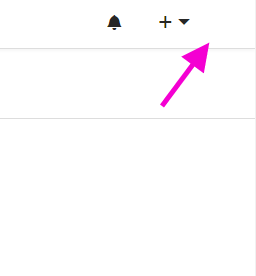
I have been using Gitea since v1.8.6.
Gitea was installed from binary for Linux/Debian not from sources.
Subsequent updates were the same...
Another weird thing:
When I go to any page on the site the avatar appears for a short time and then disappears again.
As I wrote above, I turned off all browser extensions and cleared all caches.
Something (JS? CSS?) cuts out a piece of code between these tags:
<span class="text"></span>I tried in different layout modes using DevTools but that also doesn't help.
No errors in console.
I've created screencast in slow motion:
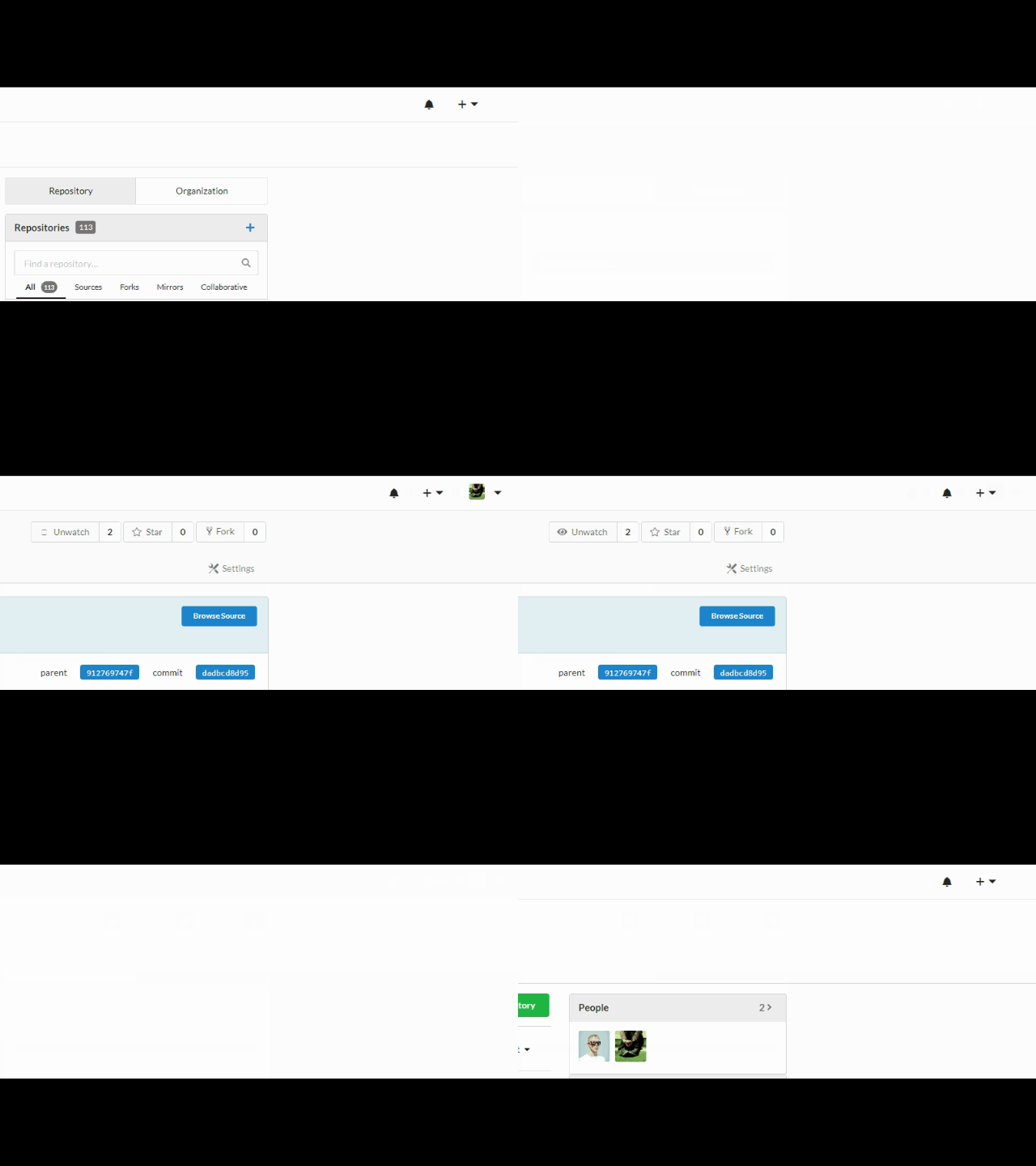
Thanks for your great support!
@silverwind commented on GitHub (Mar 8, 2020):
Not needed, 1.11 still has statically vendored fomantic-ui, the custom build is only in 1.12.
Regarding this issue: Maybe is is a bad JS cache? Try setting
ui.USE_SERVICE_WORKER = falseand then force-reload the page (CTRL-Shift-R in Firefox). Also I'd try removing any custom templates.@RiverVanRain commented on GitHub (Mar 8, 2020):
@silverwind Thanks for advice but I can't find this option via
about:configin Firefox.Also, I
CTRL+Shift+Ralways.Maybe need to say about my browsers' versions: Chrome 80.0.3987.116 \ Firefox 73.0.1
I did it, clean the caches. Nothing.
Seems, it's the browser's issue.
@zeripath commented on GitHub (Mar 8, 2020):
I wonder if it's something to do with the dropdown accessibility js?
@silverwind commented on GitHub (Mar 8, 2020):
ui.USE_SERVICE_WORKERis inapp.iniof Gitea. You can also temporarily disabledom.serviceWorkers.enabledin Firefox'sabout:config.Certainly seems possible. I suggest https://github.com/go-gitea/gitea/issues/10672 for its removal.
@RiverVanRain commented on GitHub (Mar 8, 2020):
@zeripath Ah.. Understand now. I will do it.
@RiverVanRain commented on GitHub (Mar 8, 2020):
@silverwind Tricks with service worker didn't help.
@duchenpaul commented on GitHub (Mar 10, 2020):
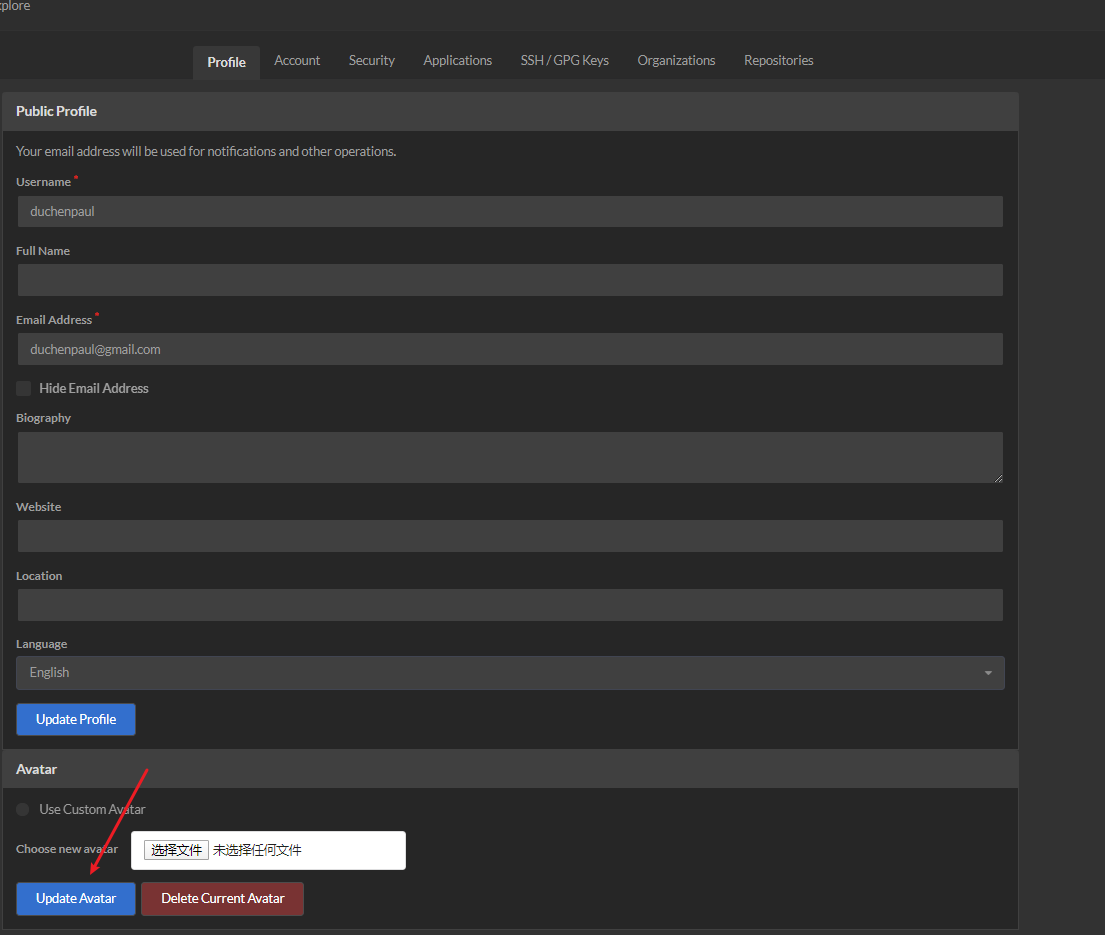
@RiverVanRain Just try to click avatar button in the settings
@RiverVanRain commented on GitHub (Mar 10, 2020):
@duchenpaul Just read this.
@silverwind commented on GitHub (Mar 11, 2020):
Check in Browser devtools if the HTML response comes with the expected tags. At least then you'll know whether JS is interfering. CSS can not remove tags so should be of no concern.
@lafriks commented on GitHub (Mar 11, 2020):
I can not seem to reproduce this on 1.11.3
@RiverVanRain commented on GitHub (Mar 11, 2020):
@silverwind Checked already and can' t see any errors. All responses are OK (200 or 302 statuses).
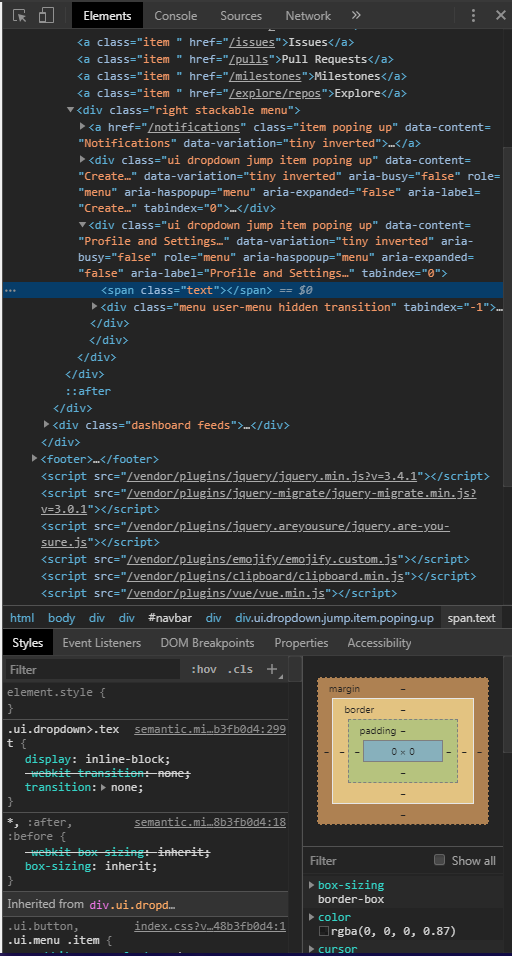
Just the missed piece of code:
@lafriks Updating to 1.11.3 didn't solved this issue.
@RiverVanRain commented on GitHub (Mar 11, 2020):
Checked on the several OS and browsers (even Midori ;)) - same results.
@silverwind commented on GitHub (Mar 11, 2020):
I meant yoou should go to the network tab, find the HTML request and check response payload and see if the missing HTML is there or not.
@RiverVanRain commented on GitHub (Mar 11, 2020):
I understood what you meant and as I've answered - all responses are ok; I can't find any missed HTML.
@RiverVanRain commented on GitHub (Mar 11, 2020):
Well.
Here's how I fixed it.
1 - In the
head_navbar.tmplchanged this code:<img class="ui tiny avatar image" src="{{.SignedUser.RelAvatarLink}}">on
<img class="ui tiny avatar image" width="24" height="24" src="{{.SignedUser.RelAvatarLink}}">2 - Stopped gitea.
3 - Cleared the caches.
4 - Started gitea again.
Now all works very well.
An error is missed
width="24" height="24"in thehead_navbar.tmplof Gitea sources (I've used this file from there for my custom template).But I found this here.
Thanks all for help. Issue is closed.
@guillep2k commented on GitHub (Mar 12, 2020):
Now I'm very intrigued. It's clear that some JS was removing the image, but why? Why adding a size would help? (maybe it depends on the image type e.g. SVG has no intrinsic size?).
@RiverVanRain commented on GitHub (Mar 12, 2020):
I can’t say what’s going on.
First, I replaced my avatar with the site logo and it worked:
<img class="ui image" src="{{StaticUrlPrefix}}/img/logo.png">Then I decided to remove one of the classes
tinyand it worked again:<img class="ui avatar image" src="{{.SignedUser.RelAvatarLink}}">I began to understand what was happening and found a mismatching in the source code about which I wrote in my comment above.
My avatar is in PNG format.