mirror of
https://github.com/go-gitea/gitea.git
synced 2026-07-16 13:20:06 -05:00
Cloudflare bypasses #10019
Closed
opened 2025-11-02 08:55:53 -06:00 by GiteaMirror
·
8 comments
No Branch/Tag Specified
main
release/v1.25
release/v1.24
release/v1.23
release/v1.22
release/v1.21
release/v1.20
release/v1.19
release/v1.18
release/v1.17
release/v1.16
release/v1.15
release/v1.14
release/v1.13
release/v1.12
release/v1.11
release/v1.10
release/v1.9
release/v1.8
v1.25.3
v1.25.2
v1.25.1
v1.25.0
v1.24.7
v1.25.0-rc0
v1.26.0-dev
v1.24.6
v1.24.5
v1.24.4
v1.24.3
v1.24.2
v1.24.1
v1.24.0
v1.23.8
v1.24.0-rc0
v1.25.0-dev
v1.23.7
v1.23.6
v1.23.5
v1.23.4
v1.23.3
v1.23.2
v1.23.1
v1.23.0
v1.23.0-rc0
v1.24.0-dev
v1.22.6
v1.22.5
v1.22.4
v1.22.3
v1.22.2
v1.22.1
v1.22.0
v1.23.0-dev
v1.22.0-rc1
v1.21.11
v1.22.0-rc0
v1.21.10
v1.21.9
v1.21.8
v1.21.7
v1.21.6
v1.21.5
v1.21.4
v1.21.3
v1.21.2
v1.20.6
v1.21.1
v1.21.0
v1.21.0-rc2
v1.21.0-rc1
v1.20.5
v1.22.0-dev
v1.21.0-rc0
v1.20.4
v1.20.3
v1.20.2
v1.20.1
v1.20.0
v1.19.4
v1.21.0-dev
v1.20.0-rc2
v1.20.0-rc1
v1.20.0-rc0
v1.19.3
v1.19.2
v1.19.1
v1.19.0
v1.19.0-rc1
v1.20.0-dev
v1.19.0-rc0
v1.18.5
v1.18.4
v1.18.3
v1.18.2
v1.18.1
v1.18.0
v1.17.4
v1.18.0-rc1
v1.19.0-dev
v1.18.0-rc0
v1.17.3
v1.17.2
v1.17.1
v1.17.0
v1.17.0-rc2
v1.16.9
v1.17.0-rc1
v1.18.0-dev
v1.16.8
v1.16.7
v1.16.6
v1.16.5
v1.16.4
v1.16.3
v1.16.2
v1.16.1
v1.16.0
v1.15.11
v1.17.0-dev
v1.16.0-rc1
v1.15.10
v1.15.9
v1.15.8
v1.15.7
v1.15.6
v1.15.5
v1.15.4
v1.15.3
v1.15.2
v1.15.1
v1.14.7
v1.15.0
v1.15.0-rc3
v1.14.6
v1.15.0-rc2
v1.14.5
v1.16.0-dev
v1.15.0-rc1
v1.14.4
v1.14.3
v1.14.2
v1.14.1
v1.14.0
v1.13.7
v1.14.0-rc2
v1.13.6
v1.13.5
v1.14.0-rc1
v1.15.0-dev
v1.13.4
v1.13.3
v1.13.2
v1.13.1
v1.13.0
v1.12.6
v1.13.0-rc2
v1.14.0-dev
v1.13.0-rc1
v1.12.5
v1.12.4
v1.12.3
v1.12.2
v1.12.1
v1.11.8
v1.12.0
v1.11.7
v1.12.0-rc2
v1.11.6
v1.12.0-rc1
v1.13.0-dev
v1.11.5
v1.11.4
v1.11.3
v1.10.6
v1.12.0-dev
v1.11.2
v1.10.5
v1.11.1
v1.10.4
v1.11.0
v1.11.0-rc2
v1.10.3
v1.11.0-rc1
v1.10.2
v1.10.1
v1.10.0
v1.9.6
v1.9.5
v1.10.0-rc2
v1.11.0-dev
v1.10.0-rc1
v1.9.4
v1.9.3
v1.9.2
v1.9.1
v1.9.0
v1.9.0-rc2
v1.10.0-dev
v1.9.0-rc1
v1.8.3
v1.8.2
v1.8.1
v1.8.0
v1.8.0-rc3
v1.7.6
v1.8.0-rc2
v1.7.5
v1.8.0-rc1
v1.9.0-dev
v1.7.4
v1.7.3
v1.7.2
v1.7.1
v1.7.0
v1.7.0-rc3
v1.6.4
v1.7.0-rc2
v1.6.3
v1.7.0-rc1
v1.7.0-dev
v1.6.2
v1.6.1
v1.6.0
v1.6.0-rc2
v1.5.3
v1.6.0-rc1
v1.6.0-dev
v1.5.2
v1.5.1
v1.5.0
v1.5.0-rc2
v1.5.0-rc1
v1.5.0-dev
v1.4.3
v1.4.2
v1.4.1
v1.4.0
v1.4.0-rc3
v1.4.0-rc2
v1.3.3
v1.4.0-rc1
v1.3.2
v1.3.1
v1.3.0
v1.3.0-rc2
v1.3.0-rc1
v1.2.3
v1.2.2
v1.2.1
v1.2.0
v1.2.0-rc3
v1.2.0-rc2
v1.1.4
v1.2.0-rc1
v1.1.3
v1.1.2
v1.1.1
v1.1.0
v1.0.2
v1.0.1
v1.0.0
v0.9.99
Labels
Clear labels
$20
$250
$50
$500
backport/done
💎 Bounty
docs-update-needed
good first issue
hacktoberfest
issue/bounty
issue/confirmed
issue/critical
issue/duplicate
issue/needs-feedback
issue/not-a-bug
issue/regression
issue/stale
issue/workaround
lgtm/need 2
modifies/api
modifies/translation
outdated/backport/v1.18
outdated/theme/markdown
outdated/theme/timetracker
performance/bigrepo
performance/cpu
performance/memory
performance/speed
pr/breaking
proposal/accepted
proposal/rejected
pr/wip
pull-request
reviewed/wontfix
💰 Rewarded
skip-changelog
status/blocked
topic/accessibility
topic/api
topic/authentication
topic/build
topic/code-linting
topic/commit-signing
topic/content-rendering
topic/deployment
topic/distribution
topic/federation
topic/gitea-actions
topic/issues
topic/lfs
topic/mobile
topic/moderation
topic/packages
topic/pr
topic/projects
topic/repo
topic/repo-migration
topic/security
topic/theme
topic/ui
topic/ui-interaction
topic/ux
topic/webhooks
topic/wiki
type/bug
type/deprecation
type/docs
type/enhancement
type/feature
type/miscellaneous
type/proposal
type/question
type/refactoring
type/summary
type/testing
type/upstream
Mirrored from GitHub Pull Request
Milestone
No items
No Milestone
Projects
Clear projects
No project

No Assignees

Notifications
Due Date
No due date set.
Dependencies
No dependencies set.
Reference: github-starred/gitea#10019
Reference in New Issue
Block a user
Blocking a user prevents them from interacting with repositories, such as opening or commenting on pull requests or issues. Learn more about blocking a user.
Delete Branch "%!s()"
Deleting a branch is permanent. Although the deleted branch may continue to exist for a short time before it actually gets removed, it CANNOT be undone in most cases. Continue?
Originally created by @twisted-nematic57 on GitHub (Dec 27, 2022).
Feature Description
I'm hosting my Gitea server on a Raspberry Pi 4B 8GB. Of course I'm using ARM64 Ubuntu 22.04 LTS with PostgreSQL 15 database. I'm using Cloudflare Tunnel to route get Gitea online to my domain. Everything is perfect except for two things.
Screenshots
No response
@tahaghafuri commented on GitHub (Dec 27, 2022):
You Can't Cloudflare Bypass,
Fix:
UnProxy Your Domain!
@delvh commented on GitHub (Dec 27, 2022):
Regarding 1:
I wouldn't have put it like that, but in general, I agree:
It is not our task to fix what you choose to do with Gitea.
Our task is to ensure that Gitea works as universally as possible.
If you choose to host it under a too-restrictive hoster, then there is pretty much nothing we can or should do.
Regarding 2: It would be possible if git would allow for something like this.
I don't think it does at the moment, so please open another issue for them, and if they choose to implement it, we can revisit/ reopen this issue.
It's probably not a good idea to deviate from what git offers itself.
As there is otherwise nothing to do, I'd close this issue for now.
If Git chooses to implement [2], it can be reopened.
@twisted-nematic57 commented on GitHub (Dec 27, 2022):
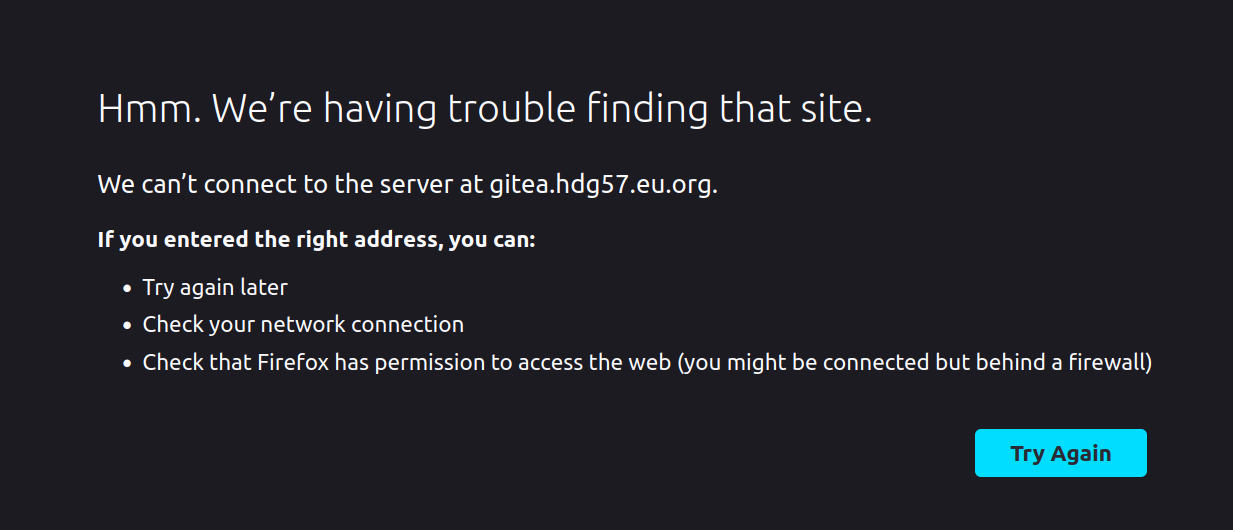
Ah yes, I have tried that. But then my browser complains it can't find the server. Yes, really: when I unproxy my DNS entry for the gitea server it stops working. Gitea works fine while accessing from localhost, but something's wrong on the Cloudflare side, if you can help please do.

@jrjake commented on GitHub (Dec 28, 2022):
To unproxy your Gitea server, you will need to delete that CNAME entry and replace it with an A entry containing the public IP address of your server (If your server has IPv6, you should add an AAAA record too).
@twisted-nematic57 commented on GitHub (Dec 28, 2022):
Yep, the problem was that I was trying to use Cloudflare Tunnel on an unproxied subdomain. Apparently that isn't possible, so I replaced it with an A entry pointing directly to my server's public IP address. It works. Sort of.
The port is mapped like this:
<public IP>:443mapped to<server's local IP>:<Gitea port>Web UI traffic goes through nicely, whether the subdomain is orange-clouded or not. Everything Web UI-related still works and the website is still very responsive, and everything is coming directly from my origin server.
So what is so special about the Cloudflare proxy service that without it Git clones won’t even work? When the subdomain is orange-clouded then the Git clone is successful. If it’s grey clouded then running the exact same clone command will complain that it couldn’t even establish a connection since it timed out trying to connect. I’ve tried manually entering my credentials and server port in the clone URL itself, but still no avail. I also waited out the entire TTL when editing the DNS entries plus an entire five minutes extra, but again, still no avail. Please help.
The screenshot below shows what happens when I try to clone a tiny repository when the subdomain is grey-clouded. (When it's orange-clouded, it works the way you'd expect.)

The request doesn't even reach the Gitea instance (there are no logs suggesting so even at Trace level). Cloudflare just "holds on" to the request until it times out.
@jrjake commented on GitHub (Dec 28, 2022):
I don't know, I'm not very familiar with Cloudflare. My best guess is that there is some web application firewall running and it blocks requests ending in
.gitto prevent data exfiltration. You might be able to get better help asking on a Cloudflare specific forum or support team if they have one.@twisted-nematic57 commented on GitHub (Jan 12, 2023):
In case anyone far in the future could use this information:
The solution was that I needed to route external ports
22,80,443, and9418to my nginx proxy's internal port. Problem solved! (I also learned that Cloudflare Tunnel doesn't support unproxied domains.)@roytam1 commented on GitHub (Apr 28, 2023):
for 1, I wonder if gitea can implement a poll-like approach and let pack/diff/etc. operations running in background, with front-end(i.e. web browsers) querying status by doing check-status poll requests?